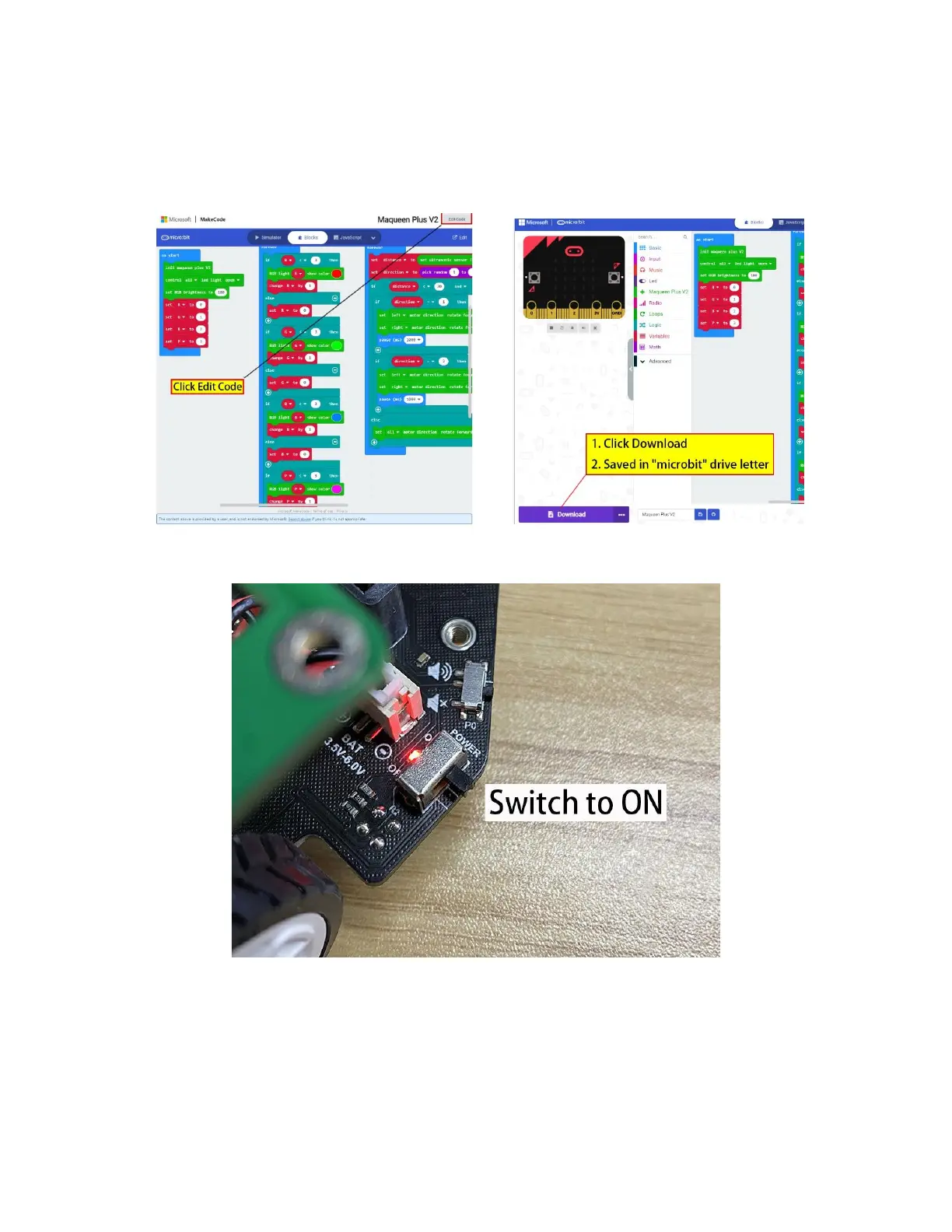
Step 5. Click the sample program link, select "Edit" on the opened webpage, and download
program into micro:bit.
Sample Program: https://makecode.microbit.org/_dshFJ6f3gfaK
Step 6. Unplug the USB cable and turn on the power switch.
After the above operations, we downloaded an automatic obstacle avoidance robot program to
the board. Put Maqueen Plus on the ground, it will automatically drive forward and automatically
detect whether there are obstacles within 30cm in front. If there are obstacles, Maqueen Plus will
automatically turn around to avoid obstacles and continue driving.


 To Next Page