
 Need help?
Do you have a question about the DiabloSport Trinity T-1000 and is the answer not in the manual?
Lists the items included in the DiabloSport Trinity package for setup.
Instructions for attaching the Trinity to a windshield using the suction cup mount.
Guidance on using an optional mount for installing the Trinity into an A-pillar pod.
Details on connecting the Trinity's OBD-II cable to the vehicle's diagnostic port.
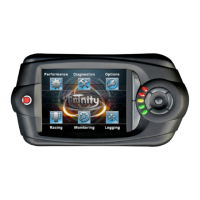
Overview of the physical buttons and user interface elements on the Trinity device.
Explains how to navigate through the Trinity's menus using touch screen and physical buttons.
Lists vehicle models and years supported by the Trinity for tuning applications.
Describes available tuning options like Towing, Economy, and Extreme for diesel vehicles.
Details performance gains and octane requirements for gasoline tuning with the Trinity.
Step-by-step guide for installing a tune on your vehicle for the first time.
Instructions on how to adjust specific parameters of an installed tune for aftermarket parts.
Explains various adjustable parameters available for tuning gasoline vehicles.
Guide on restoring the vehicle's original PCM data before service or emissions testing.
Describes different types of virtual gauges available for displaying vehicle data.
How to view live vehicle data using virtual gauges on the Trinity device.
Instructions on how to record and save vehicle data logs using the Trinity.
Steps to create custom virtual gauge layouts for monitoring specific vehicle parameters.
How to modify, move, and manage gauges within custom layouts.
Procedures for saving custom gauge layouts and log files for later use.
How to configure and use analog inputs for external sensors like EGT or wideband O2.
Guide on viewing and clearing diagnostic trouble codes (DTCs) from the vehicle's PCM.
How to use the Trinity to measure acceleration times like 0-60 or 0-100 MPH.
Instructions for performing quarter-mile and eighth-mile drag race timing on the Trinity.
Steps to install the necessary USB drivers for the Trinity on a PC.
Guide to installing the DiabloSport Downloader software for PC interaction.
Process for registering the Trinity device with DiabloSport for updates and support.
Instructions on how to update the Trinity's firmware and software.
How to transfer log files to a PC and use the DiabloSport Data Viewer software.
Procedures for uploading and downloading custom tunes and original backups to/from the Trinity.
Displays serial number, software version, and manufacturing date of the Trinity device.
Checks which tune was last installed on the vehicle, verifying it's an "Original Backup".
Menu for technical support assistance, to be used under DiabloSport representative's direction.
How to adjust the brightness and contrast settings for the Trinity's LCD screen.
Option to delete all custom tunes stored in the Trinity's memory.
Configures the Trinity to display a boot-up logo loop instead of gauges.
Allows modification of the vehicle's transmission type setting after initial installation.
 General
| Display Size | 3.5 inches |
|---|---|
| Resolution | 320 x 240 pixels |
| Data Logging | Yes |
| Custom Tuning | Yes |
| Performance Tuning | Yes |
| Internet Updatable | Yes |
| Firmware Updates | Yes |
| Touchscreen | Yes |
| Customizable Gauges | Yes |
| Connectivity | USB |
| Mounting | Windshield mount |
| Diagnostics | Yes |

 To Next Page