6
6
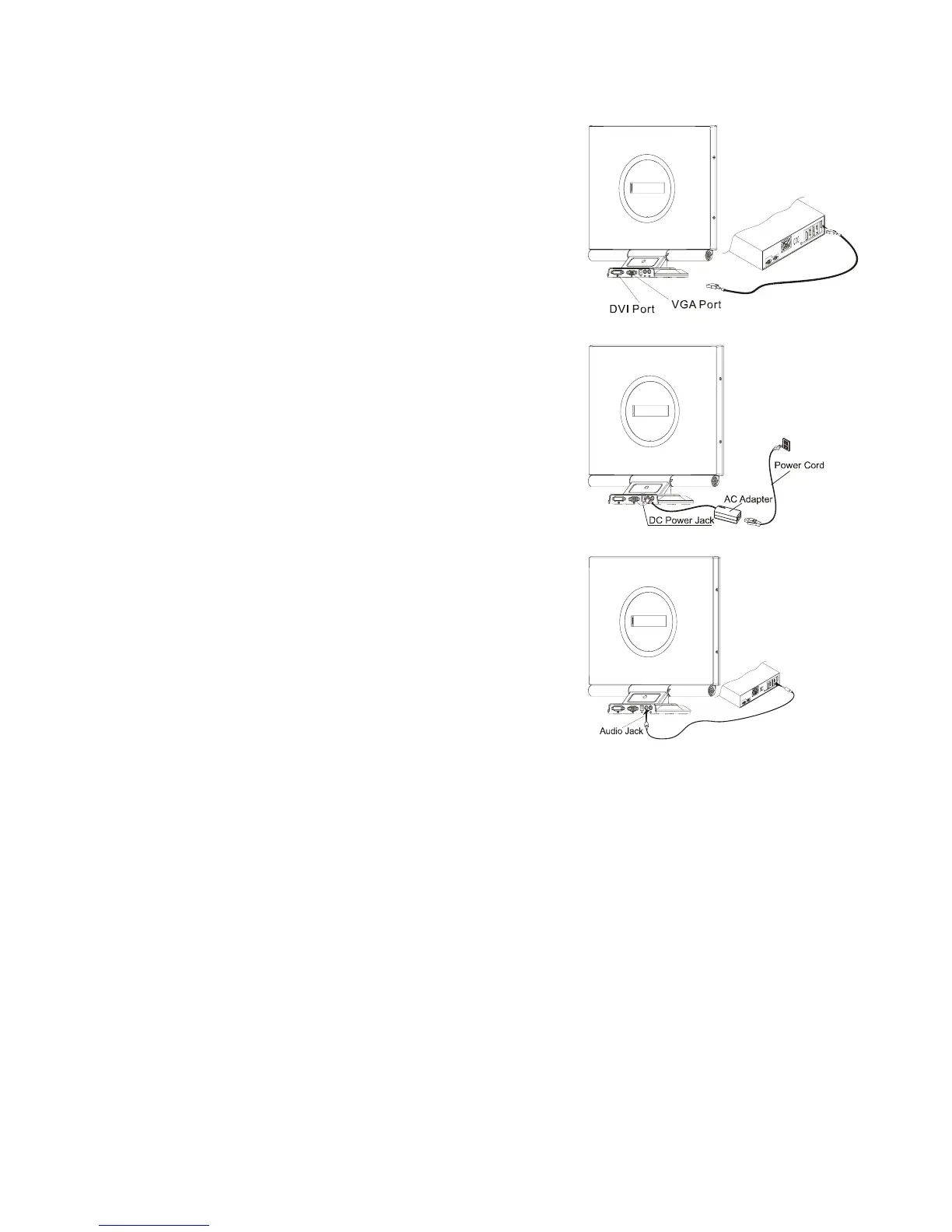
Connecting the Display
1. Power off your computer.
2. Connect one end of the signal cable to the LCD
Monitor’s VGA port or DVI port.(See Fig 1-3)
3. Connect the other end of the signal cable to the
VGA port or DVI port on your PC.
4. Make sure connections are secure.
Figure 1-3
Connecting the AC Power
1. Connect the AC Adapter to the LCD
Monitor.(See Fig. 1-4)
2. Connect the power cord to an AC power
source.
Figure 1-4
Connecting the Audio Cable
1. Connect the audio cable to the " LINE OUT "
jack on your PC's audio card or to the front
panel's “AUDIO OUT” jack of your CD ROM drive.
(See Fig. 1-5)
2. Connect the other end of the audio cable to the
LCD Monitor's " LINE IN " jack.
Figure 1-5



 To Next Page