58
Wi-Fi Connection
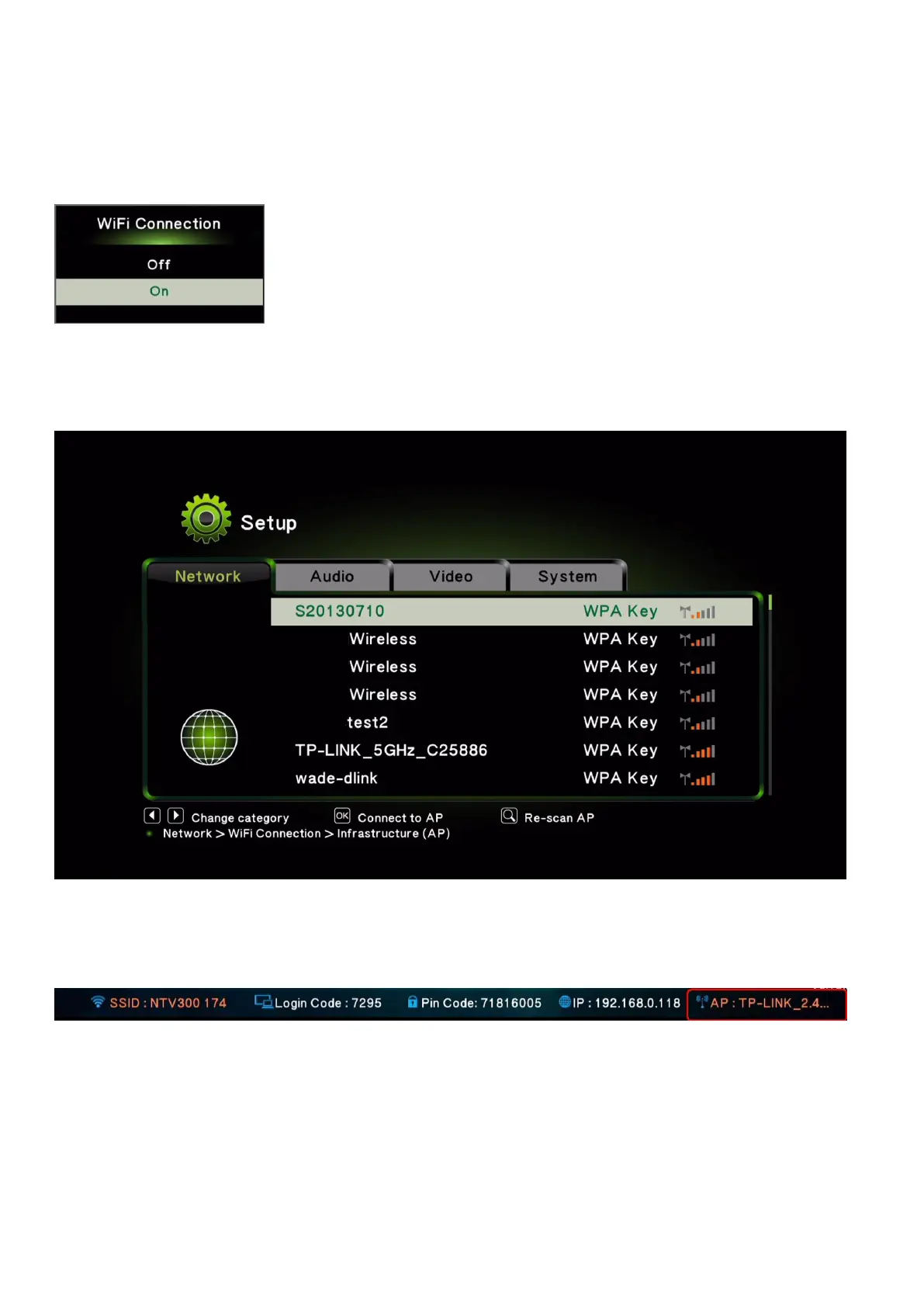
If you are setting for the first time, you will see below screen, click “on”.
Then there will show the Wireless AP list on the screen. Please choose the AP you want to connect. The
function is to bridge to Internet via another Wireless AP.
After successfully connecting, standby screen will show router name on the right bottom
corner.
If you wish to disconnect with the router, click “off” on the Wi-Fi connection page.



 To Next Page