Chapter 9: Sessions 113
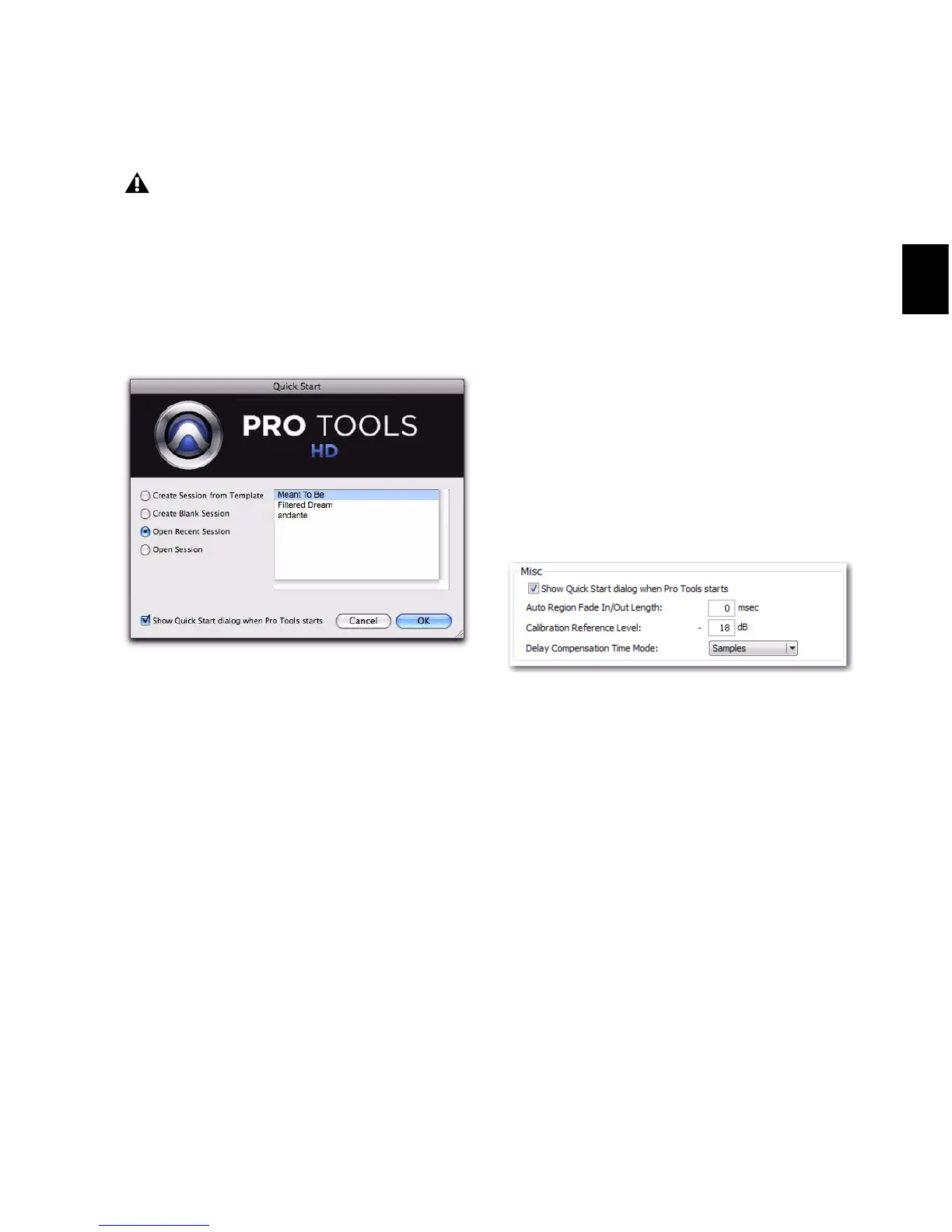
Opening a Recent Session
To open a recent session:
1 Select Open Recent Session.
2 Select any of the last ten recent sessions from
the list (on the right).
3 Click OK.
Opening Any Session
To open any session:
1 Select Open Session.
2 In the Choose a Session dialog, navigate to the
location of the session file and select it.
3 Click Open.
Showing or Hiding the Quick Start
Dialog on Launch
To prevent the Quick Start dialog from appearing
when Pro Tools launches:
Deselect the Show Quick Start Dialog when
Pro Tools Starts option in either the Quick Start
dialog or the Pro Tools Operation Preferences
(Setup > Preferences).
To have the Quick Start dialog appear when
Pro Tools launches:
1 Choose Setup > Preferences.
2 Click the Operation tab.
3 In the Miscellaneous section of the Operation
Preferences page, select the Show Quick Start Dia-
log when Pro Tools Starts option.
4 Click OK.
The Open Recent Session option is not
available the first time you launch
Pro Tools (or if you have cleared the Recent
Sessions list by choosing File > Open Recent
> Clear).
Quick Start dialog, Open Recent Session
Show Quick Start Dialog when Pro Tools Starts option



 To Next Page