EasyManua.ls Logo

DigiDesign Pro Tools 8.0 - Page 147

DigiDesign Pro Tools 8.0
1112 pages
Print Icon
To Next Page IconTo Next Page
To Previous Page IconTo Previous Page
Loading...
Chapter 10: Pro Tools Main Windows 129
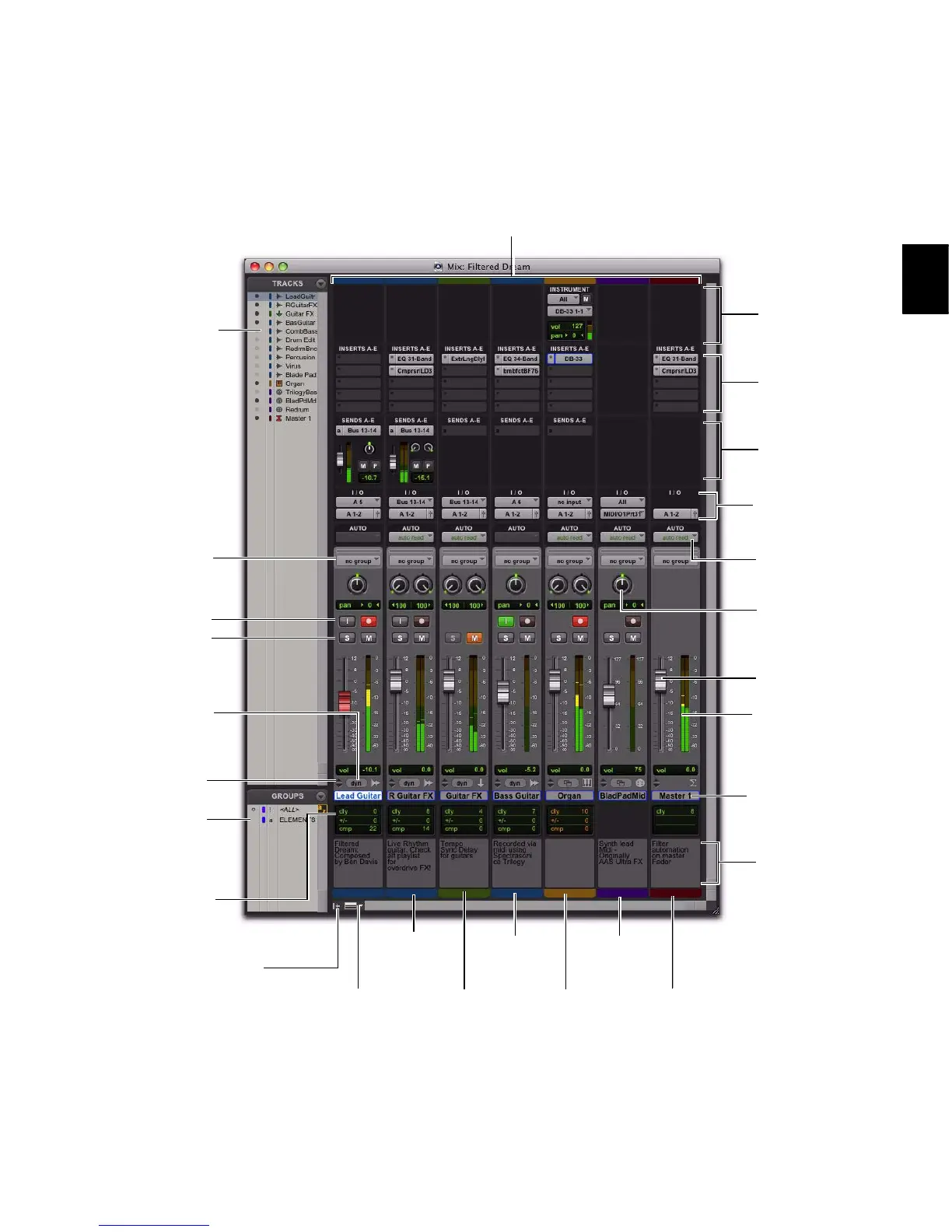
Figure 4. Pro Tools Mix window
Inserts
(A–E) View
(page 838)
Track List
(page 175)
Volume
fader
(page 162)
Pan knob
(page 162)
Level meter
(page 163)
Stereo
Audio Track
(page 154)
Auxiliary
Input
(page 155)
Delay
Compensation
View (page 839)
Master
Fader
(page 156)
AutoMatch
indicator
(page 913)
Track Path selectors
(page 179 and
page 186)
Mono
Audio Track
(page 154)
MIDI
Track
(page 157)
Sends
(A–E) View
(page 838)
Automation
Mode selector
(page 904)
Track
Comments
View
(page 837)
Voice selector
(page 184)
Track Name
(page 166)
Mix Group List
(page 197)
Group ID
indicator
(page 200)
Instrument
Track
(page 157)
Instrument
View
(page 837)
Mix Window
View selector
(page 836)
Show/Hide
Track List/Group List
View
(page 175)
Channel strips
(page 155)
Solo/Mute
(page 189)
Input Monitoring /
Record Enable
(page 363 and
page 358)

Related product manuals