Chapter 10: Pro Tools Main Windows 135
Basic Transport Controls and
Counters
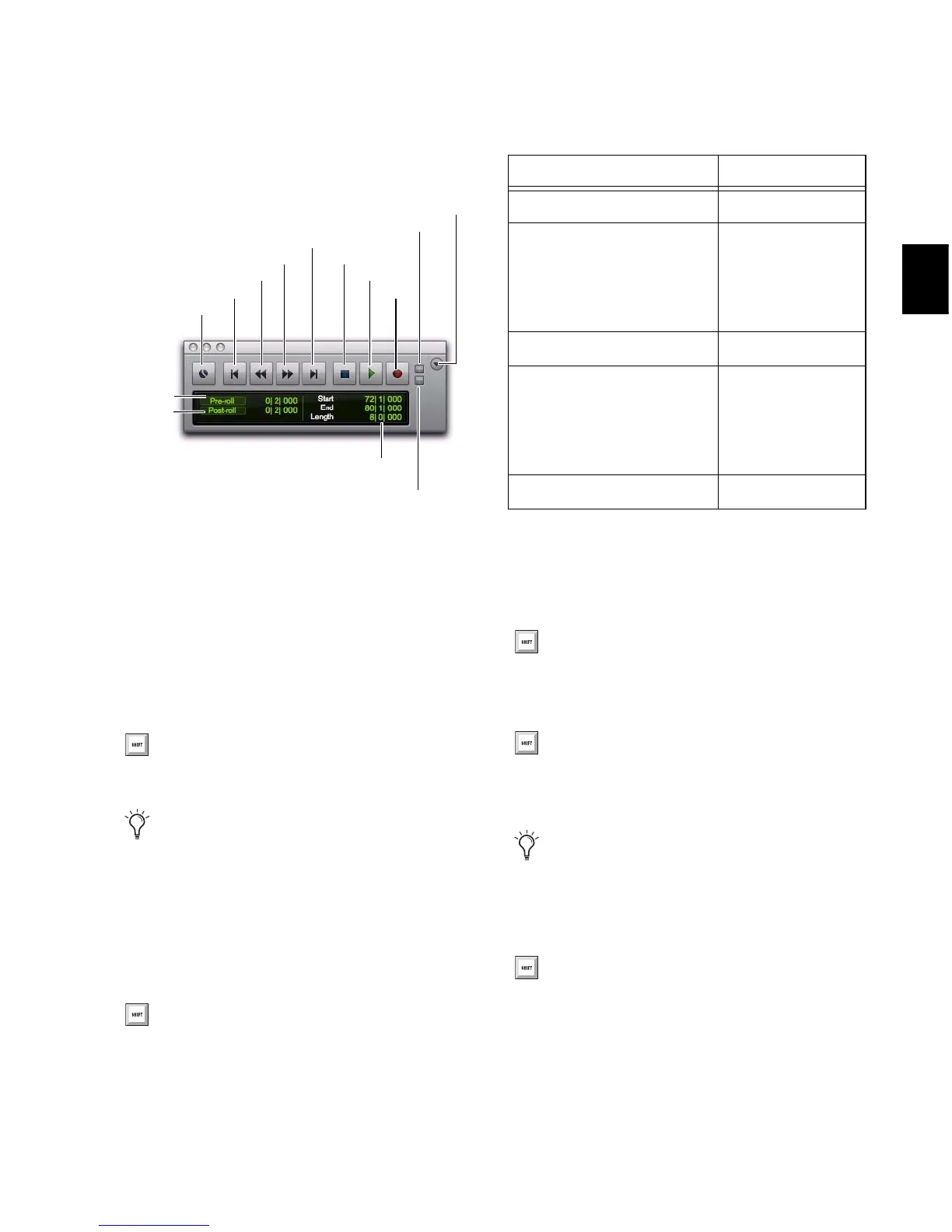
Online Puts Pro Tools online so that playback
and recording is triggered by an external time
code source.
Return to Zero Locates to the beginning of the
session.
Rewind Rewinds from the current play location.
You can also click repeatedly to rewind incre-
mentally, by an amount based on the Main
Time Scale, as follows:
Fast Forward Fast forwards from the Timeline in-
sertion point. You can also click repeatedly to
fast forward incrementally (by an amount based
on the Main Time Scale).
Go to End Locates to the end of the session.
Stop Stops playback or recording.
Transport window showing basic transport controls and
counters (Main and Sub Counters and MIDI not shown)
Press Enter (Windows) or Return (Mac) to
Return to Zero.
You can Right-click the Return to Zero but-
ton to access the Write to Start and Write to
All automation commands.
With the Numeric Keypad mode set to
Transport, you can rewind by pressing 1.
Rewind and Fast Forward Increments
Main Time Scale Format Increment Amount
Min:Sec 1 second
Time Code
(Pro Tools HD or Pro Tools LE
with Complete Production
Toolkit or DV Toolkit 2)
1 frame
Bars|Beats 1 bar
Feet+Frames
(Pro Tools HD or Pro Tools LE
with Complete Production
Toolkit or DV Toolkit 2)
1 foot
Sample 1 second
With Numeric Keypad mode set to Trans-
port, you can fast forward by pressing 2.
You can press Control+Enter (Windows) or
Option+Return (Mac) on the alphanumeric
keyboard to locate to the end of the session.
You can Right-click the Go to End button to
access automation commands Write to End
and Write to All.
You can also stop the transport by pressing
the Spacebar, or with the Numeric Keypad
mode set to Transport, pressing 0.


 To Next Page
 Loading...