Pro Tools Reference Guide140
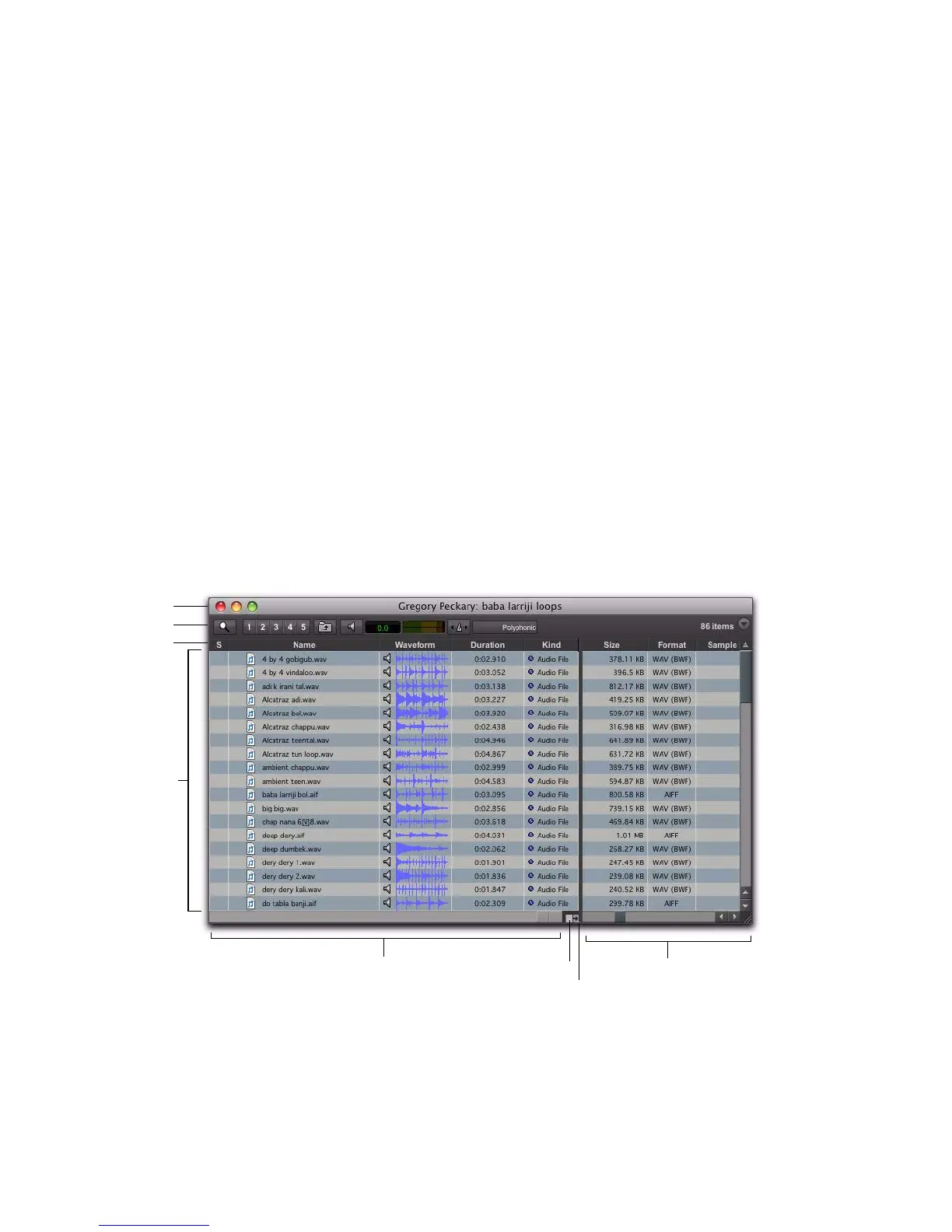
The main elements of a DigiBase browser (see
Figure 6 on page 140) include the following:
Title Bar Shows the browser type (Workspace,
Volume, Project, or Catalog), and the name of
its associated volume, session or catalog.
Toolbar Provides the Browser menu, Search icon,
View Presets (numbered 1–5), and browser navi-
gation tools.
Column Headers Display the type of metadata
displayed in the Items List. Column Headers can
be:
• Resized by dragging the column border, or
rearranged by dragging the Column head-
ers.
• Dragged to either of two available panes,
the Fixed or Scrolling panes.
Items List Displays the contents of a volume,
folder, session, or Catalog database. Each col-
umn in the items list displays metadata (such as
file name and format) for volumes, folders, and
files in the Items List.
There are three types of Pro Tools browsers
available on all supported systems:
•The Workspace browser
• Volume browsers
• The Project browser
DigiBase Pro (Pro Tools HD or Pro Tools LE with
DV Toolkit 2 or Complete Production Toolkit
only) provides one additional type of browser:
•Catalogs
Figure 6. Main elements of a DigiBase browser (Volume browser shown).


 To Next Page
 Loading...