Chapter 11: Tracks 155
Track Channel Strips
(Mix Window)
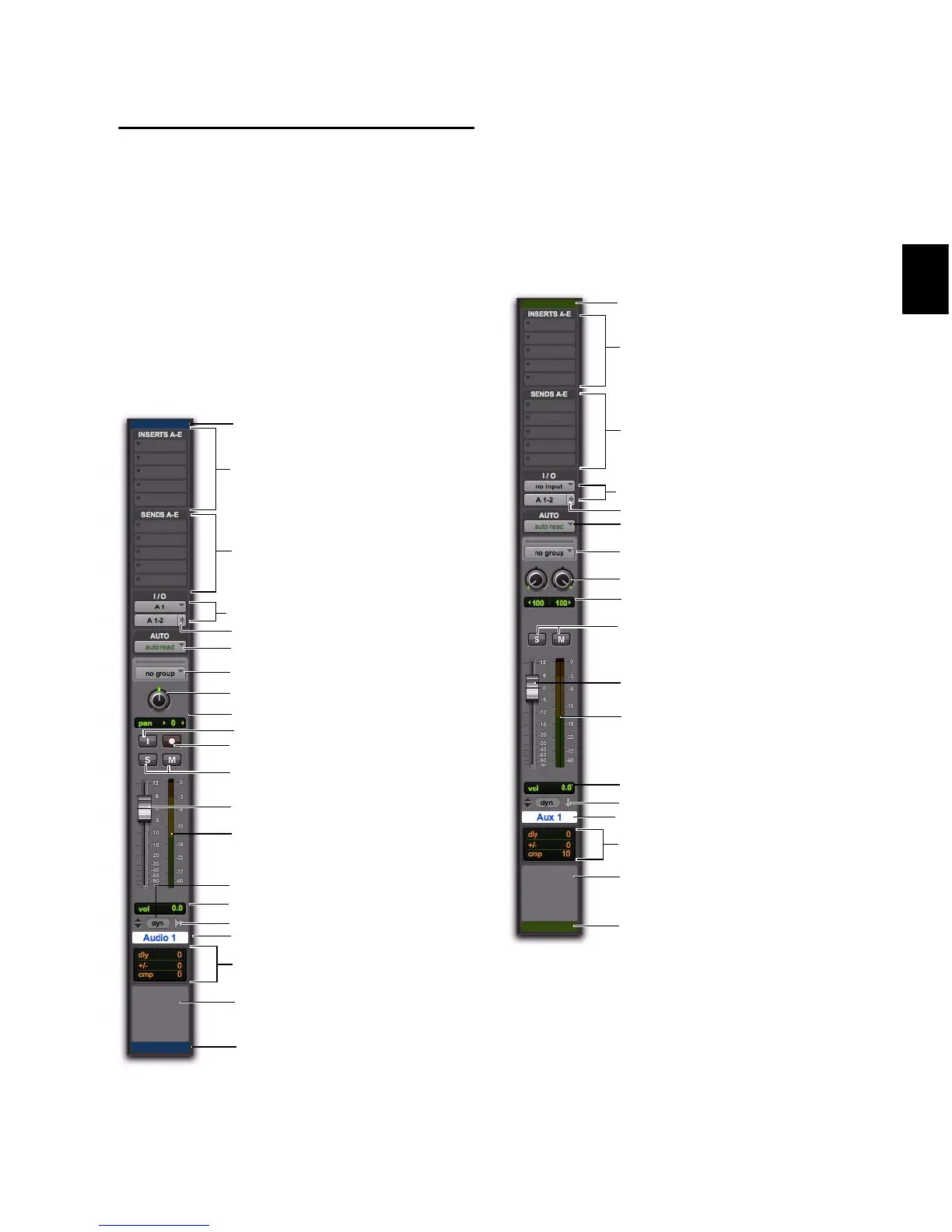
Audio Track Channel Strips
Each audio track has its own set of channel strip
controls, including volume, pan, record enable,
input monitoring (Pro Tools HD only), automa-
tion mode, solo, mute, and voice assignment.
Audio tracks also have a Comments view to type
and display comments.
Auxiliary Input Track Channel Strips
Each Auxiliary Input track has its own set of
channel strip controls, including volume, pan,
automation mode, solo, and mute. Auxiliary In-
put tracks also have a Comments view to type
and display comments.
Mono audio track channel strip
Inserts (A–E shown)
Sends (A–E shown)
Audio Input/Output Paths
Solo/Mute buttons
Automation Mode selector
Track Name button
Pan knob
Level meter
Volume fader
Group ID
Output Window button
Track Comments
Track Type indicator
Voice selector
Track Record Enable button
Volume/Peak/Delay indicator
Pan indicator
D
e
l
a
y
C
o
m
p
e
n
s
a
t
i
o
n
v
i
e
w
(
P
r
o
T
o
o
l
s
H
D
o
n
l
y
)
TrackInput Monitor button (Pro Tools HD only)
Track Color Coding
Track Color Coding
Inserts (A–E shown)
Sends (A–E shown)
Audio Input/Output Path selectors
Solo/Mute buttons
Automation Mode selector
Track Name button
Pan knobs
Level meters
Volume fader
Group ID
Track Co m me nts
Track Typ e in dicator
Volume/Peak/Delay indicator
Pan indicators
Delay Compensation view (Pro Tools HD only)
Track Color Coding
Output Window button
Track Color Coding


 To Next Page
 Loading...