Chapter 5: System Setup 43
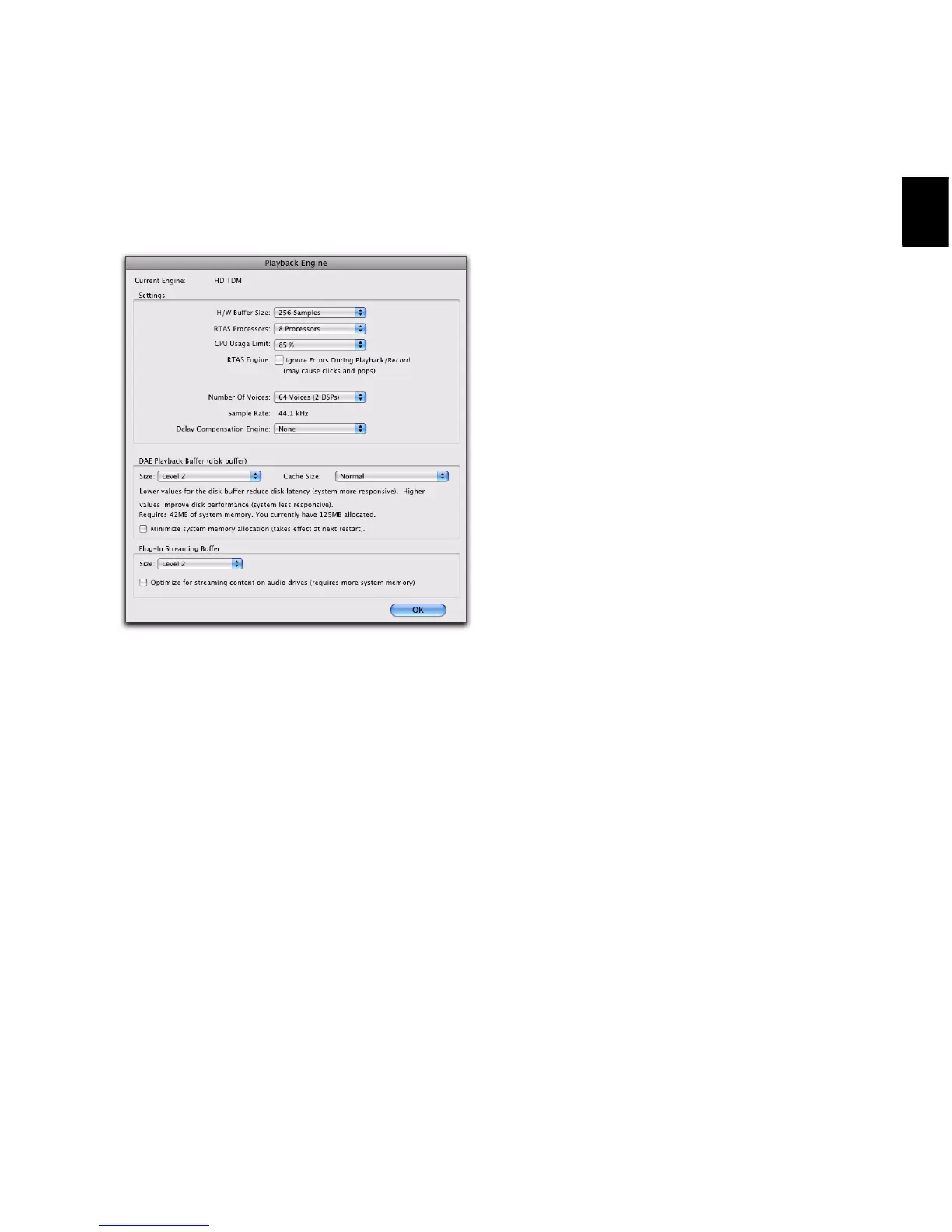
To change the Hardware Buffer Size:
1 Choose Setup > Playback Engine.
2 From the H/W Buffer Size pop-up menu, select
the audio buffer size, in samples.
3 Click OK.
RTAS Processors
The RTAS Processors setting determines the
number of processors in your computer allo-
cated for RTAS (Real-Time AudioSuite) plug-in
processing.
With computers that have multiple processors,
or that feature multi-core processing or hyper-
threading, this setting lets you enable multipro-
cessor support for RTAS plug-ins. Used in combi-
nation with the CPU Usage Limit setting, the
RTAS Processors setting lets you control the way
RTAS processing and other Pro Tools tasks are
handled by the system.
For example:
• For sessions with large numbers of RTAS plug-
ins, you can allocate 2 or more processors to
RTAS processing and set a high CPU Usage
Limit.
• For sessions with few RTAS plug-ins, you can
allocate fewer processors to RTAS processing
and set a low CPU Usage Limit to leave more
CPU resources available for automation accu-
racy, screen response, and video.
• Increase these settings to accommodate TDM
to RTAS plug-in conversion. Conversely, de-
crease these settings if you are only using
TDM plug-ins or are converting RTAS plug-ins
to TDM. TDM/RTAS conversion can be desir-
able during recording, depending on latency,
voicing needs, and record-monitoring capa-
bilities of the specific TDM and RTAS plug-ins.
• Depending on the importance of video and
overall screen response, and on the density of
automation being employed, try different
combinations of RTAS Processors and CPU Us-
age Limit settings to achieve the best results.
For example, to improve screen response in a
medium-sized session using a moderate num-
ber of RTAS plug-ins, try reducing the number
of RTAS plug-ins, but keep the CPU Usage Limit
set to the maximum (up to 99% on a single
processor system).
Playback Engine dialog for Pro Tools|HD system


 To Next Page
 Loading...