Chapter 6: I/O Setup 69
Deleting Paths
Path definitions can be deleted from the current
session to reflect changes to your hardware
setup, or to clean up track selector menus by re-
moving unwanted or unnecessary path defini-
tions. After deleting a path, any tracks or send
assignments to that path are reset to No Output.
To delete a main path or sub-path:
1 In the I/O Setup dialog, select the path you
want to delete.
2 Click Delete Path.
3 Click OK to save changes and close the I/O
Setup dialog.
To delete all paths:
1 Alt-click (Windows) or Option-click (Mac) any
path name.
2 Click Delete Path.
3 Click OK to save changes and close the I/O
Setup dialog.
Making Paths Active or Inactive
Pro Tools paths can be Active (on) or Inactive
(off, or unavailable). Paths can be globally acti-
vated or deactivated in the I/O Setup dialog.
Making a signal path inactive will turn off the
signal path on any and all tracks currently as-
signed to it.
Pro Tools also sets unavailable paths to inactive.
Paths can be unavailable when hardware or
other system resources are unavailable, such as
when opening a session saved on a different
system.
Tracks can also be made active or inactive. For
information, see “Making Track Inputs and Out-
puts Inactive from the Edit or Mix Window” on
page 181.
To globally activate or deactivate a path:
1 Choose Setup > I/O.
2 Select a path type using the tabs at the top of
the window.
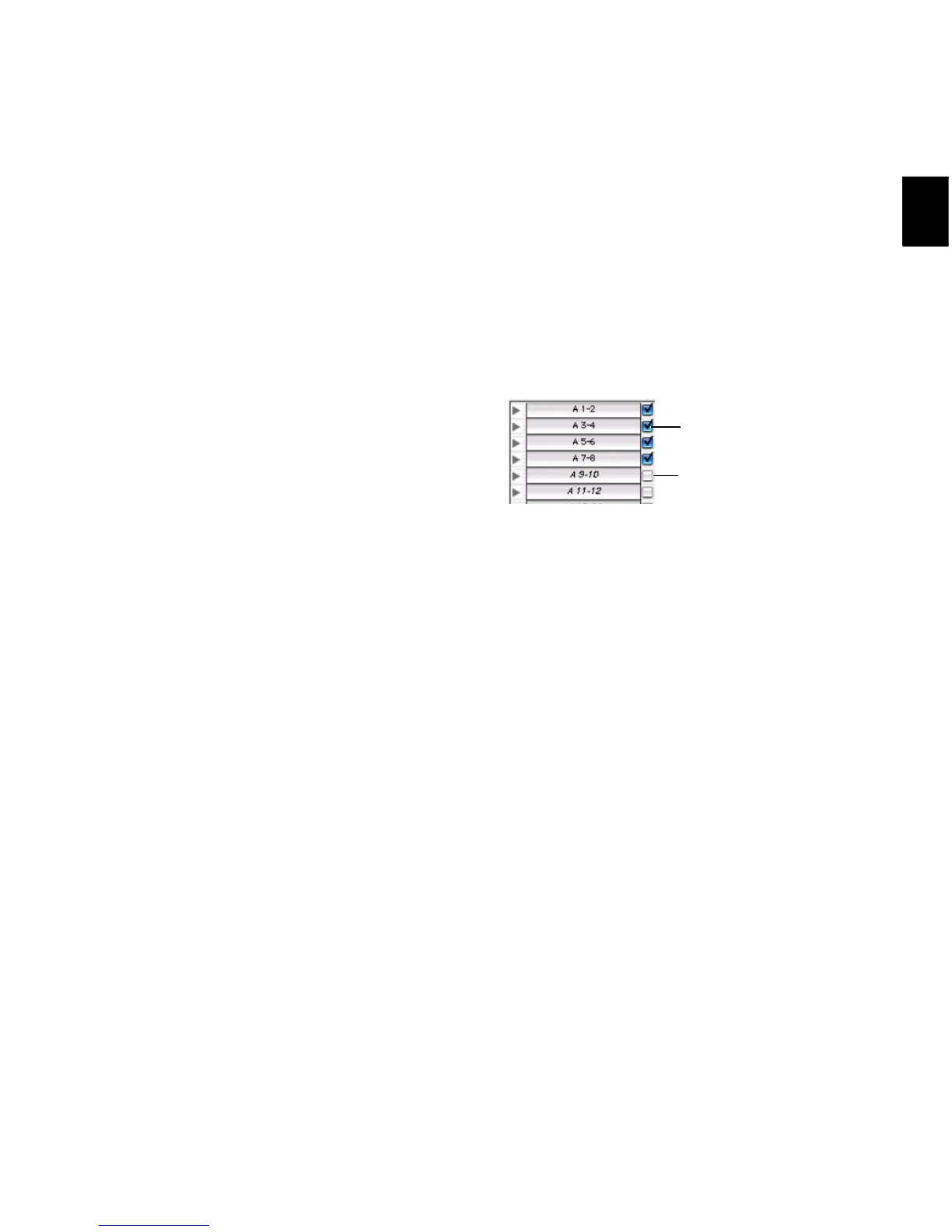
3 Set the Active/Inactive control for the path.
Inactive tracks that were assigned to the path
display in italics in the track path selectors.
4 Click OK to save changes and close the I/O
Setup dialog.
Display of Active and Inactive Paths in I/O
Setup
Unhighlighted (Italics) Indicates the path is
inactive.
Highlighted (Non-Italics) Indicates the path is
active.
Highlighted (Italics) Indicates the path is active,
but there are not enough system resources avail-
able.
Active and inactive path settings in I/O Setup


 To Next Page
 Loading...