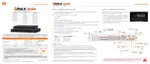
If the DVR is set to AUTO LOGIN, you will not need to enter the login every time you start the unit.
1) It may take a few minutes to start up the system after turning on the power in
cases where the user sets the network configuration as DHCP mode but under
the situation that there is no DHCP server in the network or the network is not
connected.
2) The mouse is included. In cases where you need to replace it, it is highly
recommended to choose well-known major brands such as DELL, MICROSOFT,
1) Do not forget the administrator’s password that was set for the first time. In cases
where you have forgotten your password, contact your local dealer for help.
2) Refer to “Section 4.1.2 User” for AUTO LOGIN and AUTO LOGOFF settings.
1.3 System Shutdown
To shut down the DVR, click the exit button [ ] on the Toolbar at the bottom of the screen then
click [SHUTDOWN] in the pop-up screen as shown below. To avoid potential electrical damage, do
not disconnect power to the DVR by disconnecting the power plug from the DVR while in operation.
When prompting a SHUTDOWN, input the administrator password and click [OK] to shut down the
system. Click [YES] to confirm shutdown.
Users can input passwords using the virtual keyboard.



 To Next Page
 Loading...