Selecting the previous/next track & Forward/Rewind function
In case of pause status:
If you push the stick button to right or left, player plays the next track or previous track.
In case of during playback:
If you push the stick button to right or left, player performs the forward or rewind function.
Volume control
Turn the Wheel key to down or up (Volume Level: 0 ~30).
Down: To increase volume
UP: To decrease volume
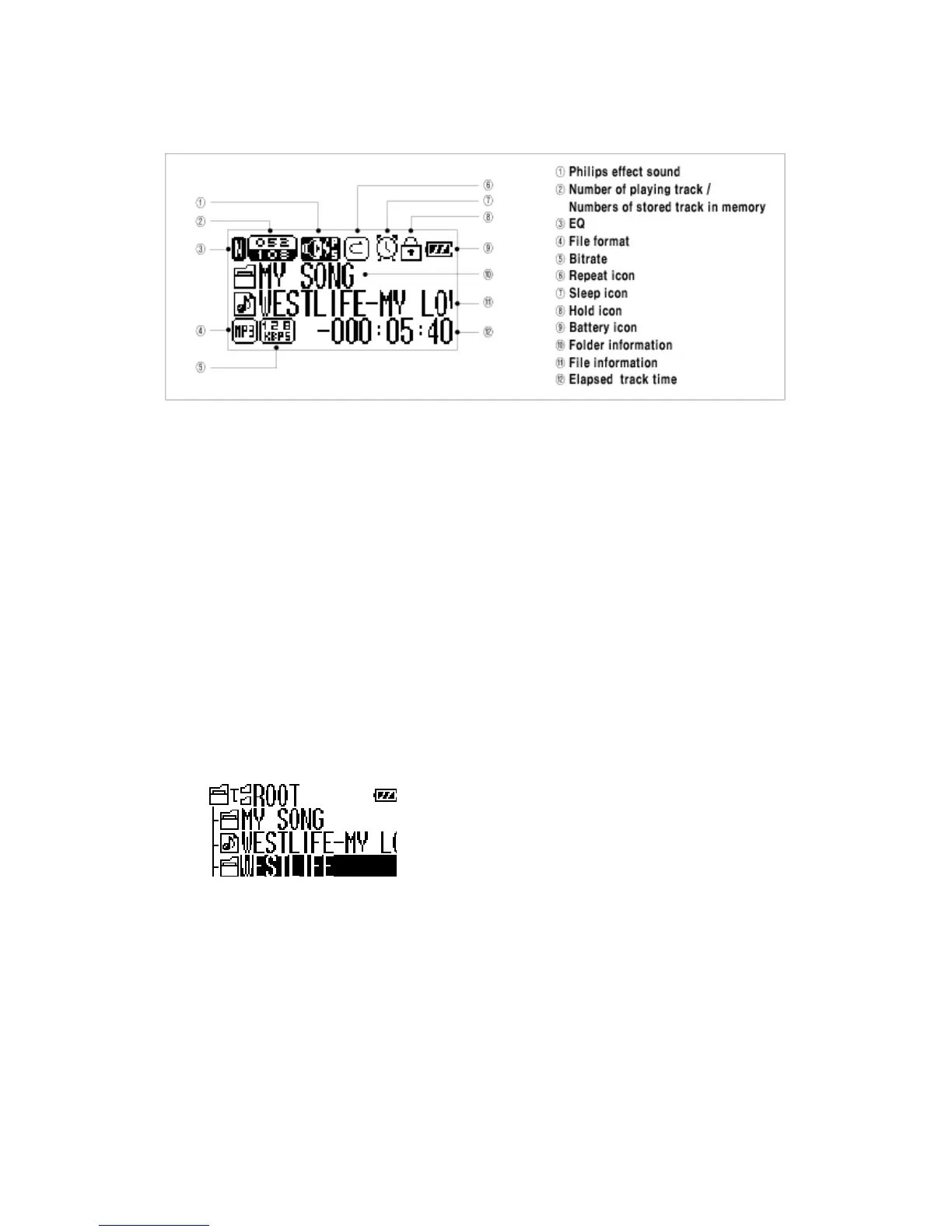
Navigation
1. Press the stick button during playback.
2. Select the music file by push the stick button.
3. Press the ▶/■ button to play music.
※ Enter the Folder & Escape the Folder
To move to the sub-folder, press the stick button.
To move to the upper folder, press the FUNC button.
Repeat Segmentation
1. Press the REC button at the start point.



 To Next Page