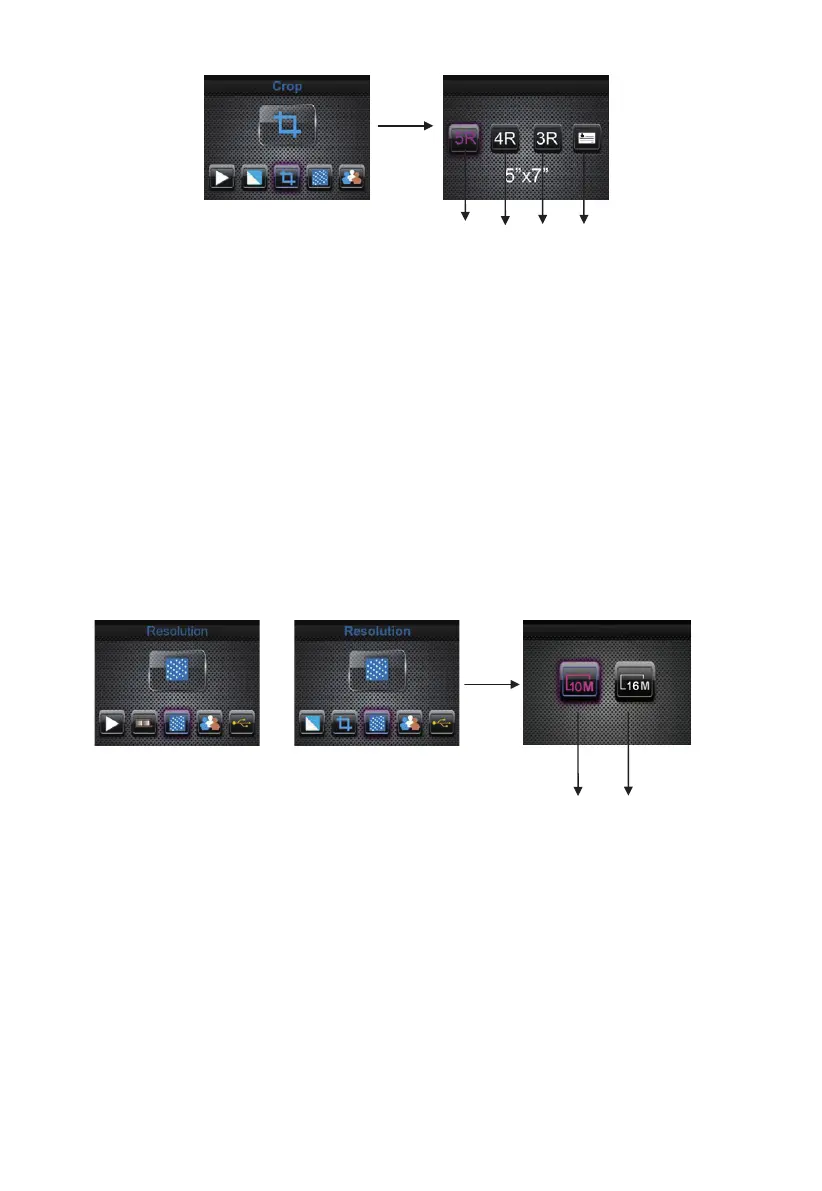
① 5R (5’’X7’’) crop proportion
② 4R (4’’X6’’) crop proportion
③ 3R (3 ½ ’’x5’’) crop proportion
④ Name card crop proportion
User can press LEFT/RIGHT button to select crop proportion, then press
ENTER button to confirm
6: Resolution
Change resolution by enter Resolution menu when power on the device or
access the main menu by Home icon/MODE button anytime. Press
LEFT/RIGHT button for Resolution and press ENTER button to confirm
or
① 10M resolution
② 16M resolution
User can press LEFT/RIGHT button to select resolution, then press ENTER
button to confirm
7: Language
Change language definition by enter language menu when power on the
device or access the main menu by Home icon/MODE button anytime. Press
LEFT/RIGHT button for language and press ENTER button to confirm.
①
②
① ②
③
○
4
18 - EN



 To Next Page