Home
DIGITNOW!
Scanner
M125
Page 14 (Capture Options and Film Types)
DIGITNOW! M125 - Capture Options and Film Types
20 pages
Manual
Save Page as PDF
To Next Page
To Next Page
To Previous Page
To Previous Page
Loading...
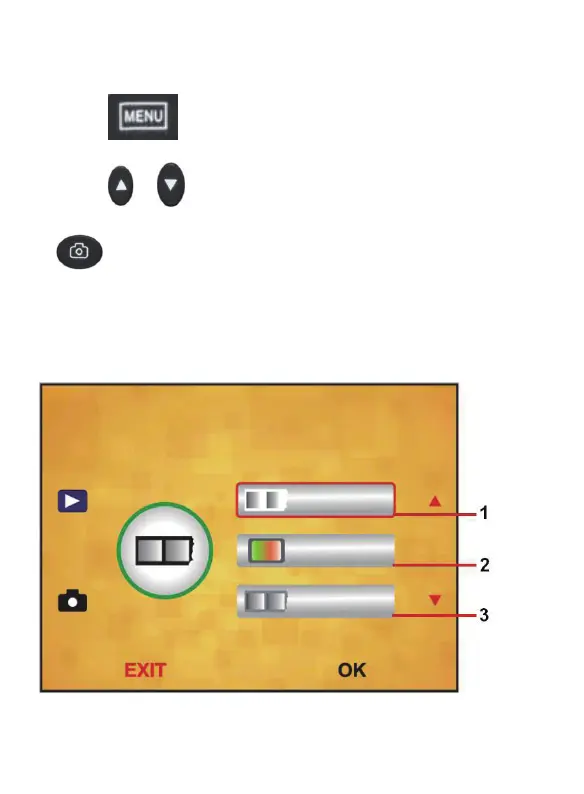
6.Capture
Option
Press
“
”MENU
key
to
enter
into
MENU,
press
“
”/
“
”
to
choose
capture
option
,
press
“
”
key
to
enter
into
s
lide
sty
l
e.
Choose
needed
image
type
like
pos
itive
f
ilm,
negative
Film
,
B&W
.
(
Please
see
f
ollowing
picture
)
13 - EN
13
15
Related product manuals
DIGITNOW! M126
14 pages
DIGITNOW! M122A
22 pages
DIGITNOW! C101
26 pages



 To Next Page