Connection and Operation
1. Connect the HDMI signal source to the HDMI input of the video capture
with one HDMI cable.
2. Connect PC USB pat to the USB output of the video capture with one
USB cable.
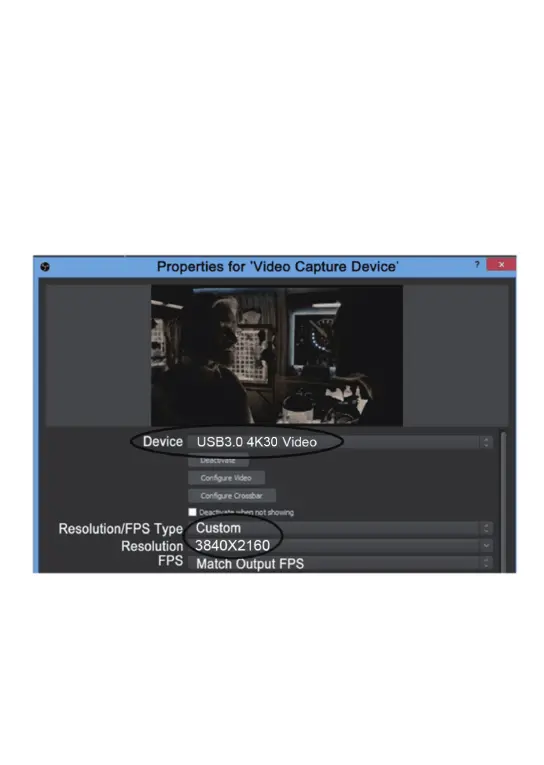
3. Run OBS Studio, Click “+” icon under “Sources” window, and select
“Video Capture Device”, then select “USB3.0 4K30 Video” in the drop
box next to “Device”:
3 - EN
OBS software download link:https://obsproject.com/


 To Next Page