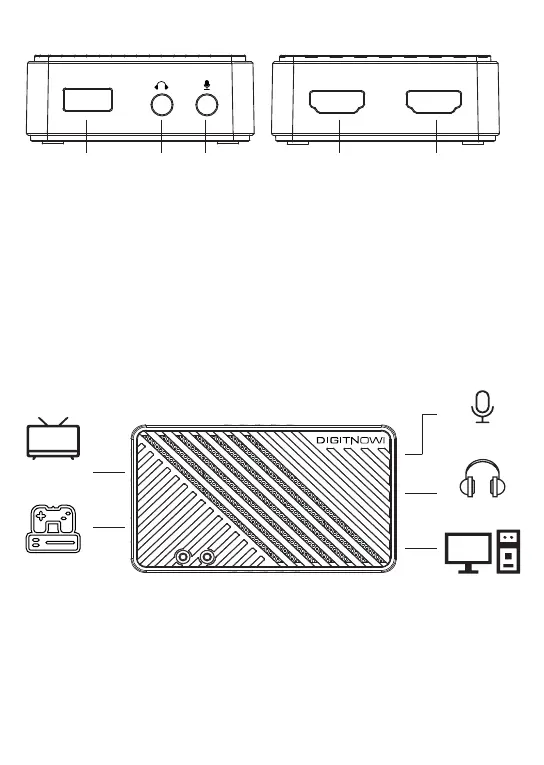
Ports and buttons:
1.
Earphone output port—you can connect the capture device with your
earphone with 3.5.mm audio out port.
2.
Microphone input port —For connect a microphone and record voice
comments when play game.
3.
4.
HDMI input port—connect HDMI signal source devices.
5.
USB 3.0 Port—connect to computer with USB3.0 cable.
Application diagrams:
HDMI Output port—connect HDMI display devices.
2 - EN
USB 3.0
HDMI OUT HDMI IN
1 2 3 4 5
TV
Microphone
Headphone
Game
Console
PC


 To Next Page