19
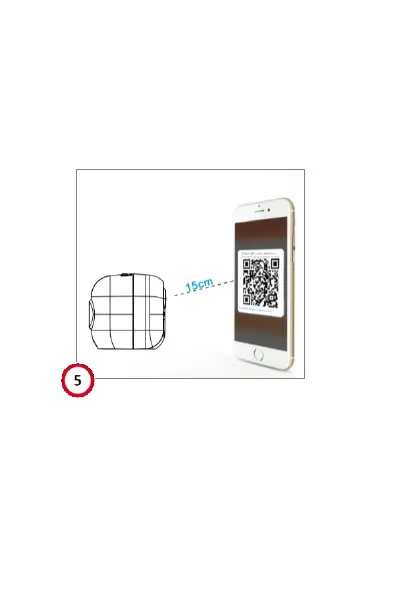
6. A QR-code will be automatically generated in the
app, as shown in the picture. Let the QR-code
aim at the cameras lens, keep their distance at
around 15cm – 30cm. When hear a “beep”
sound and see the red light turn blue, click
“I heard the beep”.


 To Next Page