EasyManua.ls Logo

Dimplex OFC1205 - User Manual

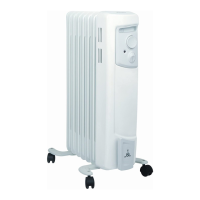
Dimplex OFC1205
5 pages
Print Icon
To Next Page IconTo Next Page
Loading...
ContactDetails
Pleasenotethatsomeofthecontactdetailson
thisPDFdocumentmaynotbecurrent.
Pleaseusethefollowingdetailsifyouneedto
contactus:
Telephone:08448793588
Email:customer.services@gdcgroup.co.uk
Thecustomersupportsectionofourwebsitealsofeaturesawide
rangeofinformationwhichmaybeofusetoyouandisavailable
24hoursaday.Itincludes:
Operatingandinstallationinstructions
Easy‘Howtouse’guidesforstorageheaters
Serviceandrepairs
Where
tobuyourproducts
Literaturedownloads
Heatingrequirementcalculator
Visit‐www.dimplex.co.uk/support
A division of GDC Group Ltd
Millbrook House Grange Drive Hedge End Southampton SO30 2DF
www.dimplex.co.uk
Re
g
istered No: 1313016 En
g
land
VAT GB 287 1315 50004
EEE Producer Registration Number –
WEE/GE0057TS
Paper from sustainable sources
Question and Answer IconNeed help?

Do you have a question about the Dimplex OFC1205 and is the answer not in the manual?

Summary

Product Models and Specifications

Important Safety Advice

General Safety Precautions

Highlights crucial safety precautions for operating the radiator, including placement and avoiding hot surfaces.

Electrical Connection Guidance

Provides guidance on correct electrical connections, including wiring codes and voltage requirements.

Installation and Setup

Operation and Controls

Electronic Timer Functionality

Timer Mode Selection

Describes how to select MANUAL ON, AUTO, or MANUAL OFF modes using the MODE button.

Setting Current Time

Instructions for setting the current day and time on the electronic timer display.

Programming ON;OFF Times

Step-by-step guide to program ON/OFF times for up to 8 different daily or weekly schedules.

Summary

Product Models and Specifications

Important Safety Advice

General Safety Precautions

Highlights crucial safety precautions for operating the radiator, including placement and avoiding hot surfaces.

Electrical Connection Guidance

Provides guidance on correct electrical connections, including wiring codes and voltage requirements.

Installation and Setup

Operation and Controls

Electronic Timer Functionality

Timer Mode Selection

Describes how to select MANUAL ON, AUTO, or MANUAL OFF modes using the MODE button.

Setting Current Time

Instructions for setting the current day and time on the electronic timer display.

Programming ON;OFF Times

Step-by-step guide to program ON/OFF times for up to 8 different daily or weekly schedules.

Dimplex OFC1205 Specifications

General IconGeneral
ModelOFC1205
Power1200 W
Heat Settings3
ThermostatYes
Overheat ProtectionYes
WheelsYes
Dimensions55 x 24 x 43.5 cm
Number of Fins5
Frost ProtectionYes
Cord Length1.5 m
TypeOil Filled

Related product manuals