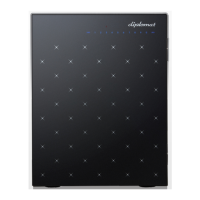
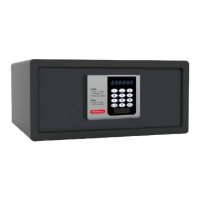
H25CS, H125C, H200C
2
Electronic Safe Program Instruction
Diplomat Electronic Lock has the following functions.
(1) To show or hide the input code
(2) To set how many digits of the personal code
(3) To set the locking time - The system will be locked automatically if you input the wrong opening
code four times continuously.
(4) To set the master code - If you forget your personal code you can use the master code to open
it.
(5) To set the track record using CEU.
(6) To set home users mode or hotel users mode.
Please read this instruction carefully before resetting.
(1) Input the screen will display “PROG”.
(2) Then input the function code “895100 ”
(3) The default group numbers is “171301”.
1 7 1 3 0 1
(a) (b) (c) (d) (e) (f)
(a) To show or hide the input code
- Pressing “0” means the input code will be hidden.
- Pressing “1” means the input code will be read on the screen.
(b) To set how many digits of the personal code
- Pressing “3” means the personal code with 3 digits only
- Pressing “4” means the personal code with 4 digits only
- Pressing “5” means the personal code with 5 digits only
- Pressing “6” means the personal code with 6 digits only


 To Next Page