©
2019 DJI All Rights Reserved.
7
ROBOMASTER S1
User Manual
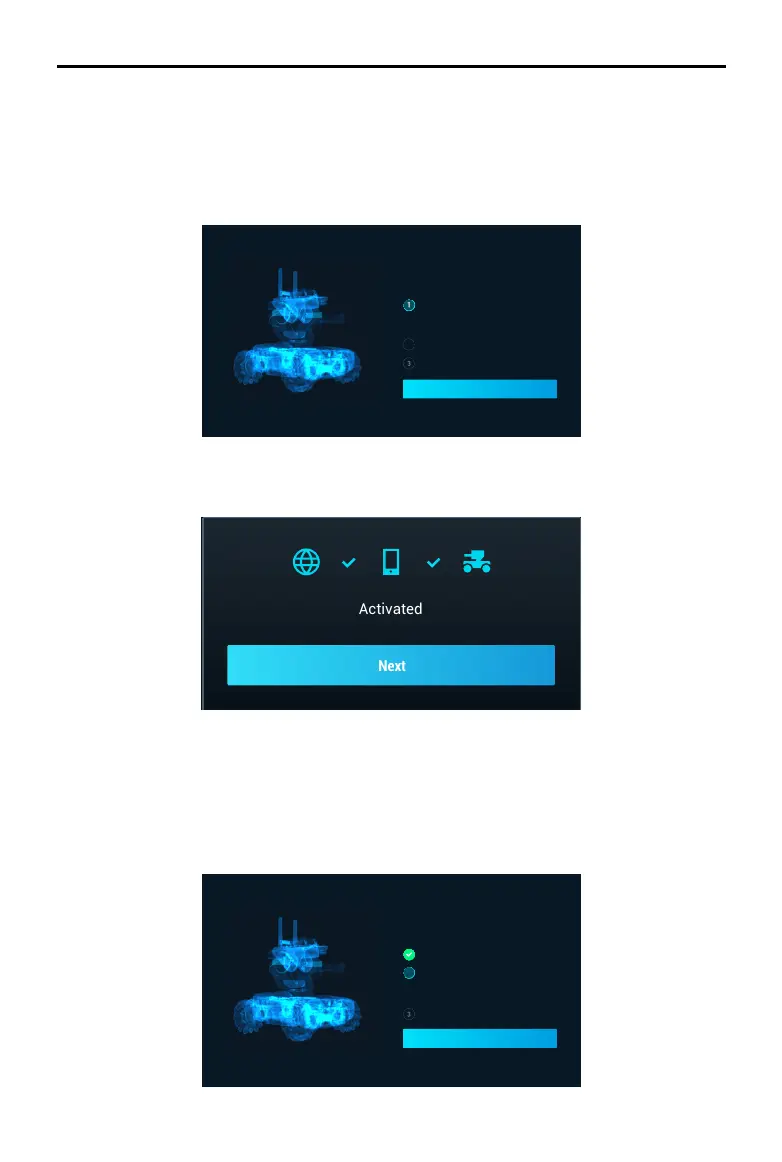
2. Follow the prompts to complete activation.
Motor Addressing
Motor addressing is required in the app before using for the first time. Follow the prompts to
complete motor addressing.
1. Start Motor Addressing.
Complete robot initialization to continue
use
Armor Addressing
Motor Addressing
Performing addressing for all motors to ensure
the robot's movement functions work normally.
Online Activation
Continue
Initializing the S1 with the App
Activating the S1
After connecting, use your DJI account to activate the S1 in the RoboMaster app. Activation
requires an internet connection.
1. Start activation.
Complete robot initialization to continue
use
ArmorAddressing
MotorAddressing
OnlineActivation
Connecttotheinternettoactivatetherobot
andreceiveyourwarranty.
Continue



 To Next Page