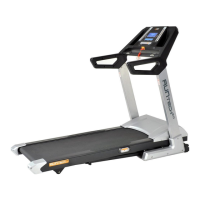
HRC programs (chest belt transmitter
compulsory).
P17: HR1 - weight loss:
Enter age by using speed +/- or incline +/- buttons,
press ENTER to confirm. THR (Target Heart Rate)
will be computed at 60% (Using formula 220 – age),
and will appear in the HEART RATE window. THR
can be changed by pressing the +/- keys. Press
ENTER and start the exercise: the treadmill will run
at 0.8 kph for 3 minutes as warm-up: adjust elevation
manually. After this timeframe the computer will
adjust speed with 1 km every 40 seconds till THR (+/-
5 BPM) is reached. In case the THR is exceeded, the
computer will automatically reduce speed till THR is
reached again.
P18: HR2– cardio:
Enter age by using speed +/- or incline +/- buttons,
press ENTER to confirm. THR (Target Heart Rate)
will be computed at 60% (Using formula 220 – age),
and will appear in the HEART RATE window. Press
ENTER and start the exercise: the treadmill will run
at 0.8 kph for 3 minutes as warm-up: adjust speed
manually. After this timeframe the computer will
adjust inclination with 1% every 30 seconds till THR
(+/- 5 BPM) is reached. In case the THR is exceeded,
the computer will automatically reduce inclination till
THR is reached again.
P19: HR3– interval fat burn:
Enter age by using speed +/- or incline +/- buttons,
press ENTER to confirm. THR (Target Heart Rate)
will be computed at 60% (Using formula 220 – age),
and will appear in the HEART RATE window. THR
can be changed by pressing the +/- keys. Press
ENTER and start the exercise: the treadmill will run
at 0.8 kph for 3 minutes as warm-up: adjust speed
manually. After this timeframe the computer will
adjust inclination with 1% and speed with 1 km every
30 seconds till THR (+/- 5 BPM) is reached. In case
the THR is exceeded, the computer will automatically
reduce inclination till THR is reached again.
USER mode:
Select U1-U3 press ENTER to confirm.
Program speed and inclination for every segment by
using speed +/- and incline +/- buttons, confirm every
segment by pressing ENTER. After completing all
segments, push start to begin exercising.
Body Fat calculation:
Select body fat (F001) using speed +/- or incline +/-
buttons, press ENTER to confirm.
Enter age using speed +/- or incline +/- buttons,
press ENTER to confirm.
Enter gender (sex) using speed +/- or incline +/-
buttons (0 =♀, 1 = ♂), press ENTER to confirm.
Enter height using speed +/- or incline +/- buttons,
press ENTER to confirm.
Enter weight using speed +/- or incline +/- buttons,
press ENTER to confirm.
Press start and hold pulsegrips: body fat value will
appear after +/- 10 seconds.


 To Next Page
 Loading...