Control Buttons of the DKnight Big MagicBox (Continued)
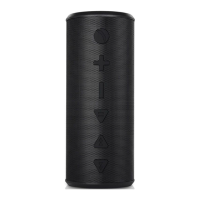
You can use the Big MagicBox as a portable speakerphone for incoming calls when connected
wirelessly via Bluetooth.
To answer a call, press the button.
To end the call, press the button again. To refuse a call, press and hold the button for 2
seconds. You can re-dial the last number called by the phone by double pressing the button.
Control the volume during the phone call:
Volume up ------ Press +
Volume down ------ Press -
IMPORTANT NOTE:
The Microphone is assembled on the top of the speaker. For better phone call quality, please face to the
top the speaker when you are calling.


 To Next Page