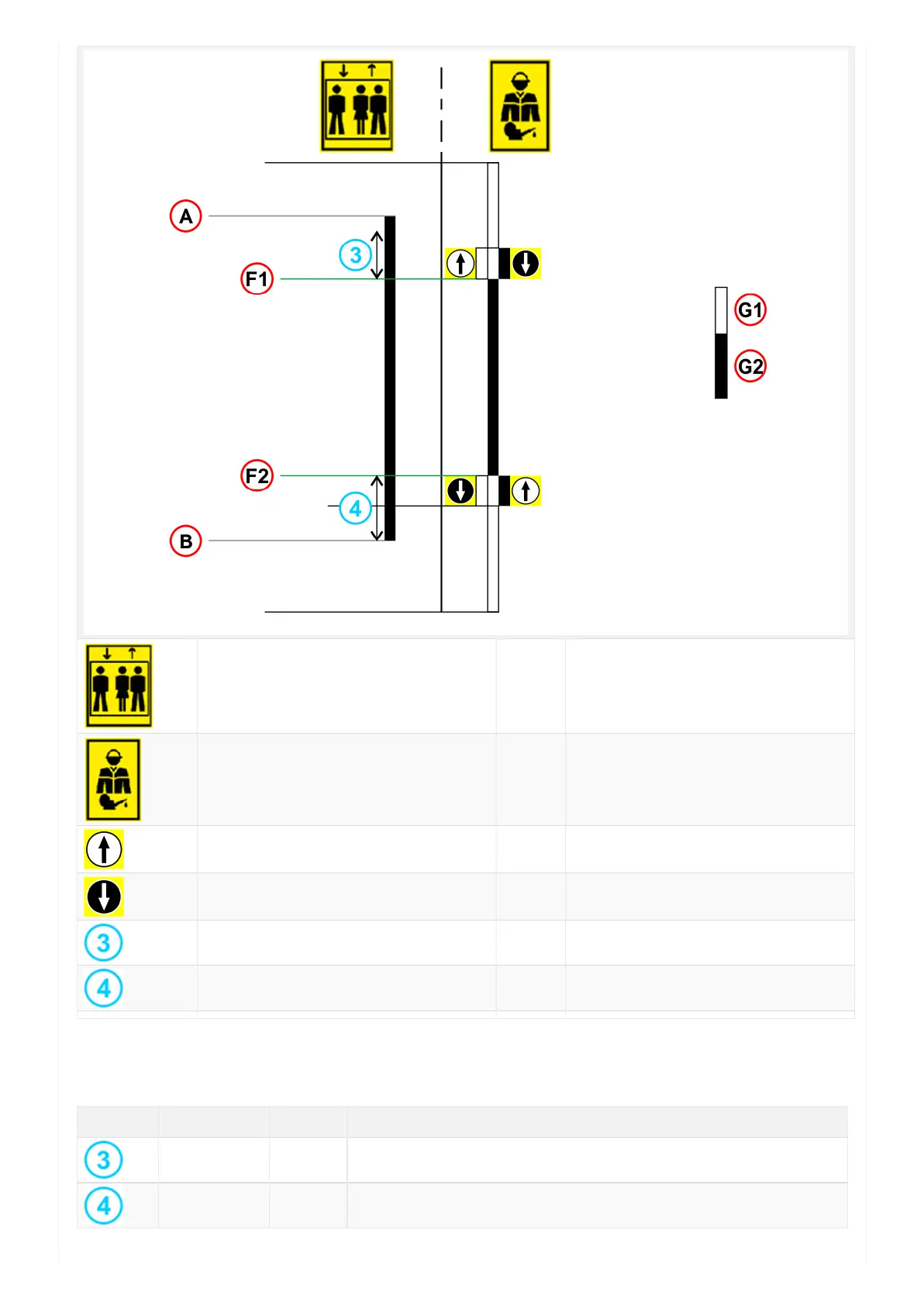
Normal Mode A) - TOP floor
Inspection Mode B) - BOTTOM floor
Inspection UP button F1) - Upper inspection limit switch
Inspection DOWN button F2) - Lower inspection limit switch
Inspection limit position Up G1) - Moving enable
Inspection limit position Down G2) - Moving not enabled
For manual adjustment of the positions of the indicated is possible from menu <Positioning> Monitor Encoder (see
table below).
Label Page Description
I_LIM_S 6 Upper inspection limit (offset under top floor)
I_LIM_D 6 Lower inspection limit (offset over bottom floor)


 To Next Page