2 DUALCOM SERIES COMPLIANCE LISTING GUIDE | DIGITAL MONITORING PRODUCTS
ANSI/UL 864
Fire Protective Signaling Systems using Internet/Intranet/Cell Networks
A Performance Based Technologies system as defined in UL 864 10th Edition may be configured as the following:
Network Primary and Cellular Backup Programming
Network Programming Cellular Programming
Comm Type = NET Comm Type = CELL
Checkin Min = 238 Checkin Min = 238
Failtime Min = 240 Failtime Min = 240
Cellular Primary with no Backup
Path 1 Programming
Comm Type = CELL Checkin Min = 58
Path Type = Primary Failtime Min = 60
Test Rpt = No Checkin = Yes
Network Primary with no Backup
Path 1 Programming
Comm Type = NET Checkin Min = 58
Path Type = Primary Failtime Min = 60
Test Rpt = No Checkin = Yes
Model 685-R Backbox Installation
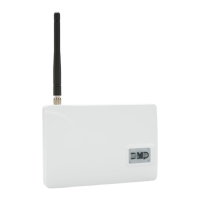
For Commercial Fire applications using DualComNF and the included red plastic Model 685-R backbox, mount the
backbox to the wall with the 1” #6 screws included with the fire communicator. Mount the fire communicator to the
backbox with the 1/2” #6 screws. See Figure2. Locate the fire communicator within 20 feet of the control panel and
route all wire in conduit.
Refer to the DualCom Series Programming and Installation Guide (LT-1859) for communication test procedure.
Cellular Communication Failure Test Procedure
For commercial fire systems, the following test procedure can be used to demonstrate local annunciation of a
communication path failure where required by the AHJ.
1. Connect the communicator to the FACP as shown in Figure 1 and program the communicator according to the tables
above.
2. Program the appropriate settings for the central station receiver and allow the communicator to check in with the
receiver.
3. Enter the programming menu and change the receiver port number to an invalid (closed) port.
4. Exit programming and allow the communicator to resume operation.
5. The communicator will unsuccessfully attempt to communicate and then drop the voltage on the second tip and ring
terminals which will cause the FACP to annunicate a phone line trouble.
6. After successfully demonstrating local annunciation, return to the programming menu and change the receiver port
back to the correct (open) port to verify communication.
# 6 Screws Included
with Backbox
Network Cable
Routing Locations
Figure 2: Model 685-R Backbox Installation


 To Next Page
 Loading...