9
On/Off Switch
Use the On/Off switch to start the machine, to switch the machine off, use the On/Off
switch again.
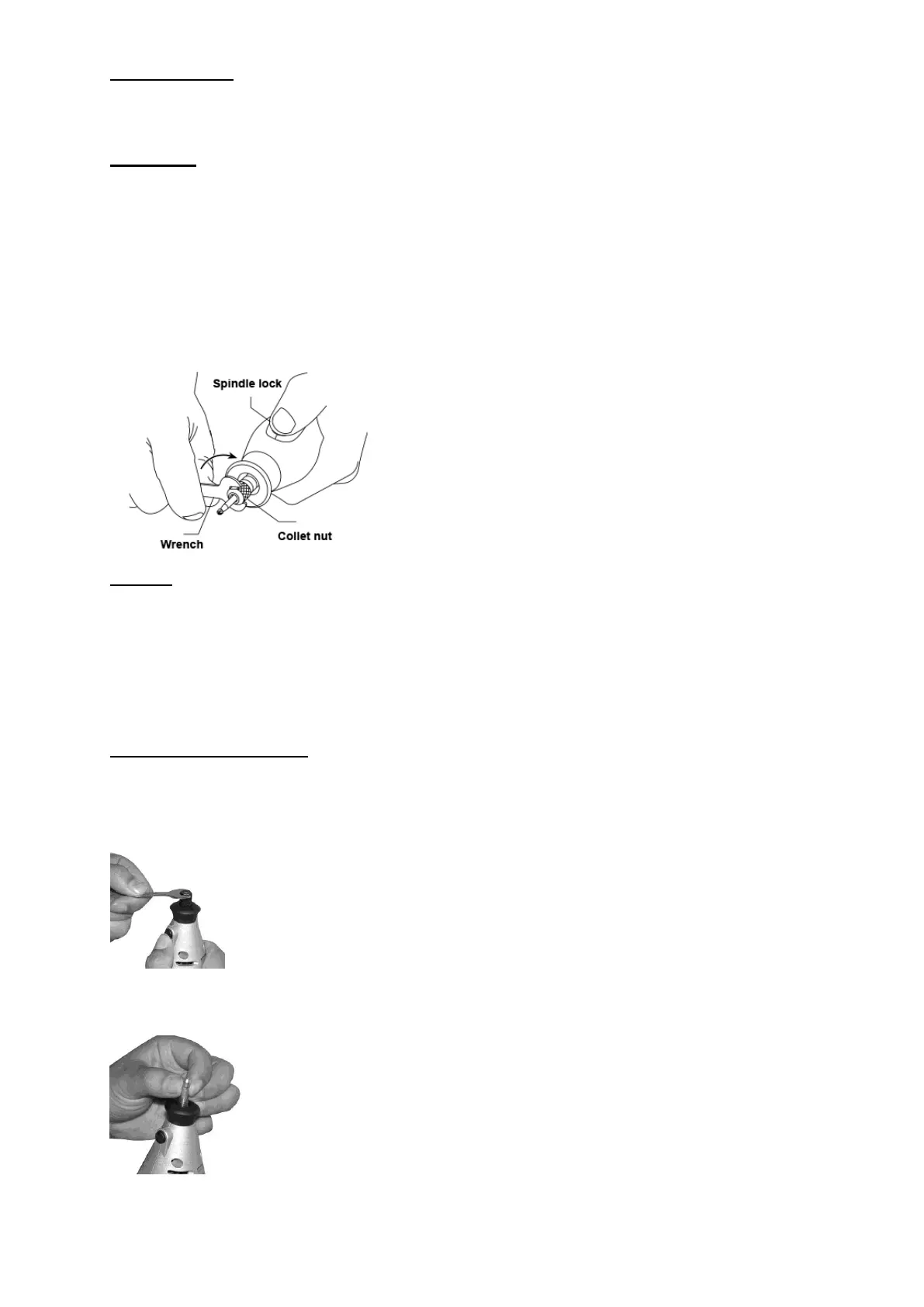
Collet nut
Press spindle lock button and rotate the spindle by wrench until the lock button
engages the spindle preventing further rotation. Keep holding the lock button and
loosen the collet nut. Insert the new accessory into the collet as far as possible to
minimize running out.
With the lock engaged, tighten the collet nut until the accessory shank is gripped by
the collet. But excessive tightening of the collet nut is no need.
CAUTION: For precision work, it is important that all accessories be in good
balance. You can tell by the sound and feel it. To adjusting or balance an accessory,
slightly loosen collet nut and give the accessory or collet a desired turn if necessary.
Collets
Different size collets to accommodate different shank sizes are available. To install a
different collet, remove the collet nut and remove the old collet. Insert the un-slotted
end of the collet in the hole in the end of the tool shaft. Replace collet nut on the
shaft.
Always use the collet which matches the shank size of the accessory you plan to
use. Never force a larger diameter shank into a collet.
Changing accessories
1. Make sure the machine is switched off before you change over.
2. While holding the spindle lock button down, gently rotate the collet nut until the
spindle lock button is fully engaged. Never press the spindle lock button when the
tool is running.
3. Always select a right size collet for assembling the accessories. Make sure all
items are fully introduced to reduce the risk of twisting an accessory and avoid
excessive vibration.
4. Insert the stem of the accessory into collet. Press the spindle locking button down
and turn count-clockwise slightly to tighten the screw nut.


 To Next Page
 Loading...