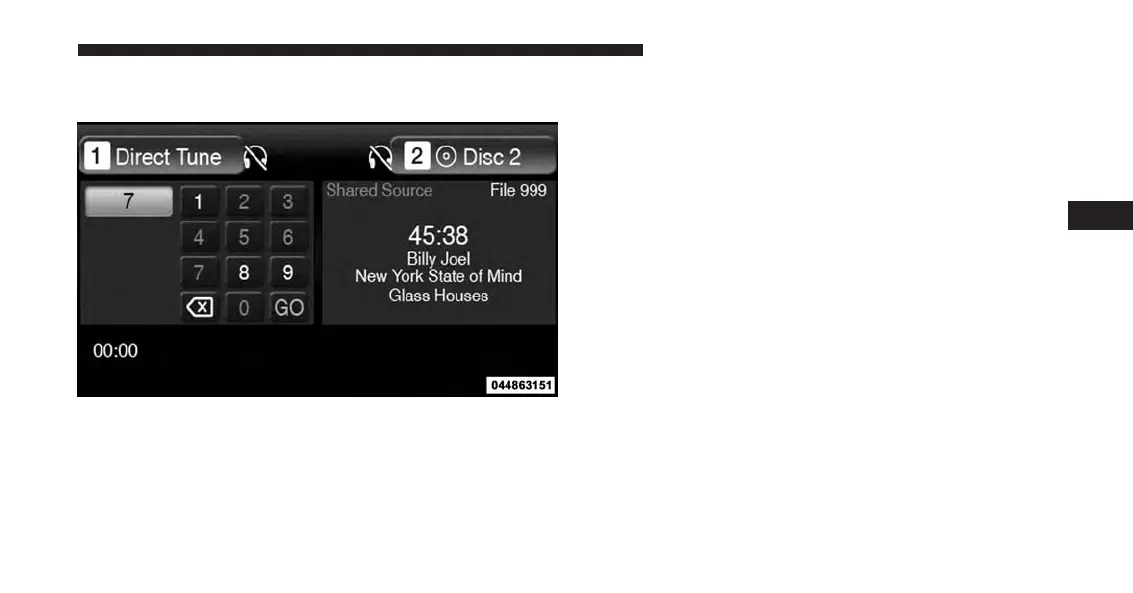
Numeric Keypad Menu
When the display for either Channel 1 or Channel 2
shows DIRECT TUNE, pressing the remote control’s
ENTER button activates a numeric keypad menu.
This screen makes it easy to enter a specific tuner
frequency, satellite channel, or track number. To enter the
desired digit:
1. Press the remote control’s navigation buttons (䉱, 䉲,
䉴, 䉳) to navigate to the desired digit.
2. When the digit is highlighted, press the remote con-
trol’s ENTER button to select the digit. Repeat these
steps until all digits are entered.
3. To delete the last digit, navigate to the Del button and
press the remote control’s ENTER button.
4. After all of the digits are entered, navigate to the Go
button and press the remote control’s ENTER button.
Numeric Keypad Menu
4
UNDERSTANDING YOUR INSTRUMENT PANEL 405














 To Next Page