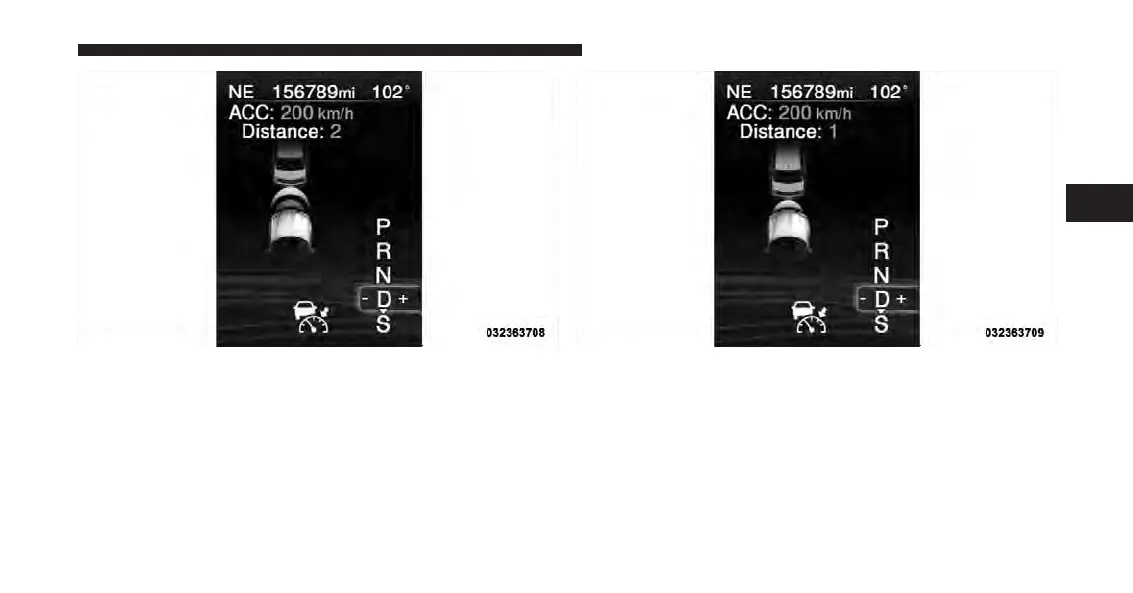
To change the distance setting, press the Distance button
and release. Each time the button is pressed, the distance
setting adjusts between 3 (long), 2 (medium), and 1
(short).
Distance Set 2 (medium) Distance Set 1 (short)
3
UNDERSTANDING THE FEATURES OF YOUR VEHICLE 231


 To Next Page
 Loading...