To Increase Speed
When the Speed Control is set, you can increase
speed by pushing the SET (+) button.
To Decrease Speed
When the Speed Control is set, you can decrease
speed by pushing the SET (-) button.
To Accelerate For Passing
Press the accelerator as you would normally. When
the pedal is released, the vehicle will return to the
set speed.
For further information, and applicable warnings
and cautions, please refer to the Owner’ s Manual at
www.mopar .com/en-us/care/owners-manual.html
(U.S. Residents) or www .owners.mopar.ca (Cana-
dian Residents).
Adaptive Cruise Control (ACC) —
If Equipped
If your vehicle is equipped with Adaptive Cruise
Control, the controls operate exactly the same as
the standard cruise control, with one difference.
You can set a specified distance you would like to
maintain between you and the vehicle in front of
you.
• If the ACC sensor detects a vehicle ahead, ACC
will apply limited braking or acceleration auto-
matically to maintain a preset following dis-
tance while matching the speed of the vehicle
ahead.
NOTE:
Your vehicle will not exceed the cruise speed you
have set.
• If the sensor does not detect a vehicle directly
ahead of you, it functions like a standard cruise
control system, maintaining the speed you set.
For further information, and applicable warnings
and cautions, please refer to the Owner’ s Manual at
www.mopar .com/en-us/care/owners-manual.html
(U.S. Residents) or www .owners.mopar.ca (Cana-
dian Residents).
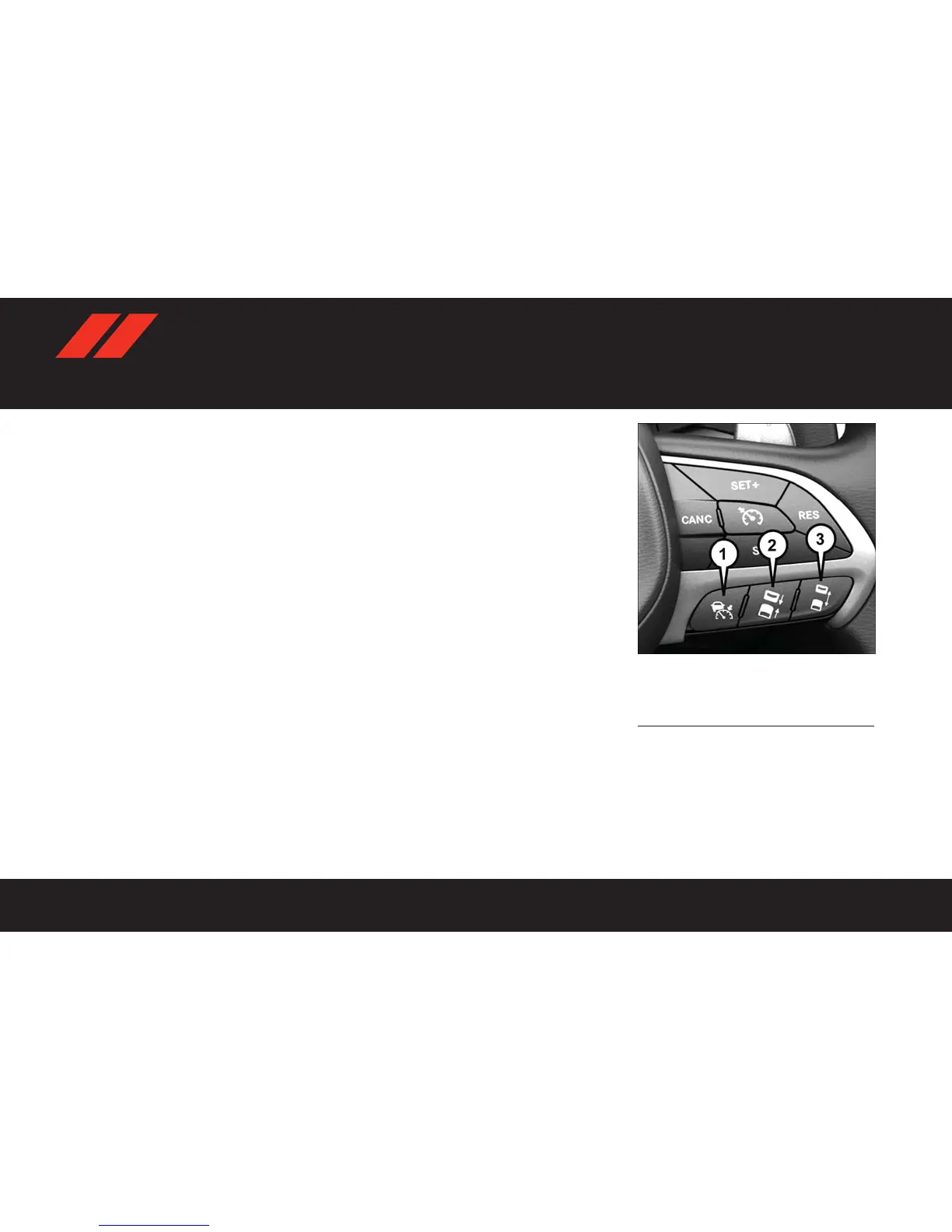
Adaptive Cruise Switches
1 — Adaptive Cruise Control (ACC) On/Off
2 — Distance Setting – Decrease
3 — Distance Setting – Increase















 To Next Page