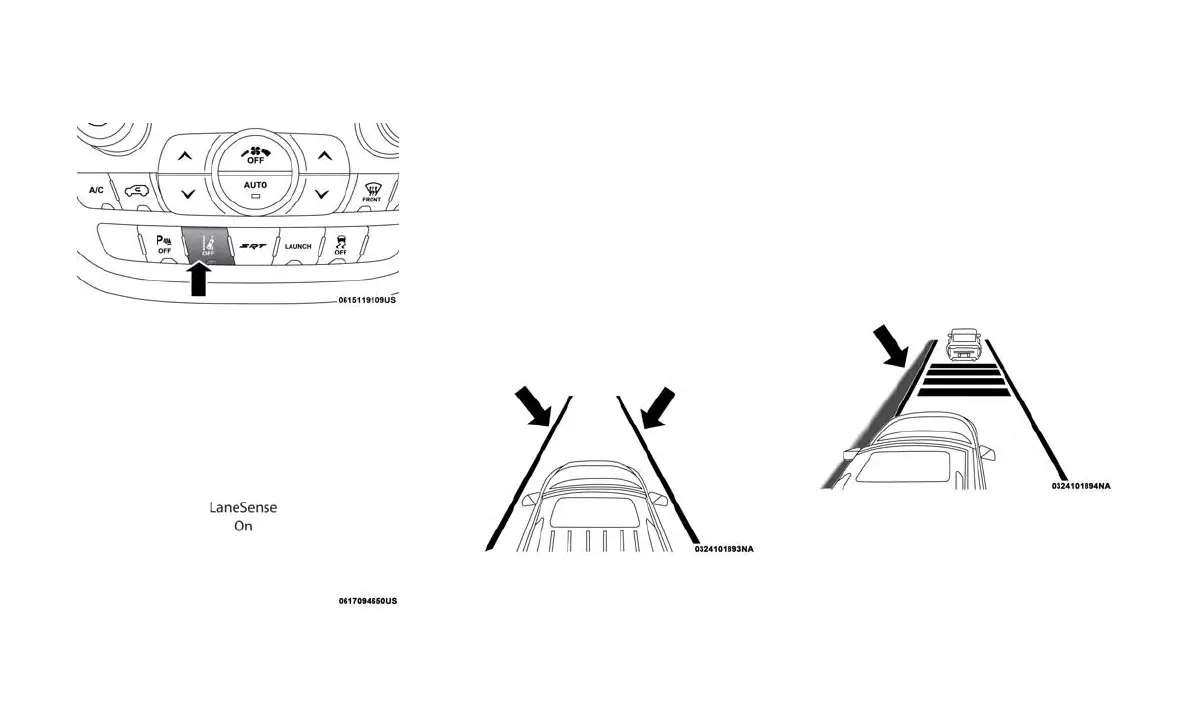
Turning LaneSense On Or Off
The default status of LaneSense is “off”.
The LaneSense button is located on the switch
panel below the Uconnect display.
To turn the LaneSense system on, push the
LaneSense button (LED turns off). A “Lane
Sense On” message is shown in the instrument
cluster display.
To turn the LaneSense system off, push the
LaneSense button once (LED turns on).
NOTE:
The LaneSense system will retain the last sys-
tem state on or off from the last ignition cycle
when the ignition is changed to the ON/RUN
position.
LaneSense Warning Message
The LaneSense system will indicate the current
lane drift condition through the instrument clus-
ter display.
Premium Instrument Cluster Display
When the LaneSense system is on; the lane
lines are gray when both of the lane boundaries
have not been detected and the LaneSense
telltale is solid white.
Left Lane Departure — Only Left Lane De-
tected
• When the LaneSense system is on, the Lane-
Sense telltale is solid white when only the left
lane marking has been detected and the
system is ready to provide visual warnings in
the instrument cluster display if an uninten-
tional lane departure occurs.
• When the LaneSense system senses the
lane has been approached and is in a lane
departure situation, the left thick lane line
flashes yellow (on/off), the left thin line re-
mains solid yellow and the LaneSense telltale
changes from solid white to flashing yellow.
NOTE:
The LaneSense system operates with the simi-
lar behavior for a right lane departure when only
the right lane marking has been detected.
LaneSense Warning Button
Lane Sense On Message
System On (Gray Lines/White Telltale)
Lane Approached (Flashing Yellow Thick Line,
Solid Yellow Thin Line/Flashing Yellow Telltale)
189















 To Next Page