(anti-lock brakes, traction control system,
electronic stability control, forward collision
warning, etc.).
PARKVIEW REAR BACK UP
CAMERA
Your vehicle may be equipped with the
ParkView Rear Back Up Camera that allows you
to see an on-screen image of the rear surround-
ings of your vehicle whenever the gear selector
is put into REVERSE. The image will be dis-
played on the Navigation/Multimedia radio dis-
play screen along with a caution note to “check
entire surroundings” across the top of the
screen. After five seconds this note will disap-
pear. The ParkView camera is located on the
rear of the vehicle above the rear license plate.
When the vehicle is shifted out of REVERSE
(with camera delay turned off), the rear camera
mode is exited and the navigation or audio
screen appears again.
When the vehicle is shifted out of REVERSE
(with camera delay turned on), the rear view
image with dynamic grid lines will be displayed
for up to 10 seconds after shifting out of RE-
VERSE unless the forward vehicle speed ex-
ceeds 8 mph (13 km/h), the transmission is
shifted into PARK or the ignition is switched to
the OFF position or can also exit out from the
image defeat [X] button.
NOTE:
The ParkView Rear Back Up Camera has pro-
grammable modes of operation that may be
selected through the Uconnect System. Refer to
“Uconnect Settings” in “Multimedia” for further
information.
When enabled, active guide lines are overlaid
on the image to illustrate the width of the vehicle
and its projected backup path based on the
steering wheel position. A dashed center line
overlay indicates the center of the vehicle to
assist with parking or aligning to a hitch/receiver.
Different colored zones indicate the distance to
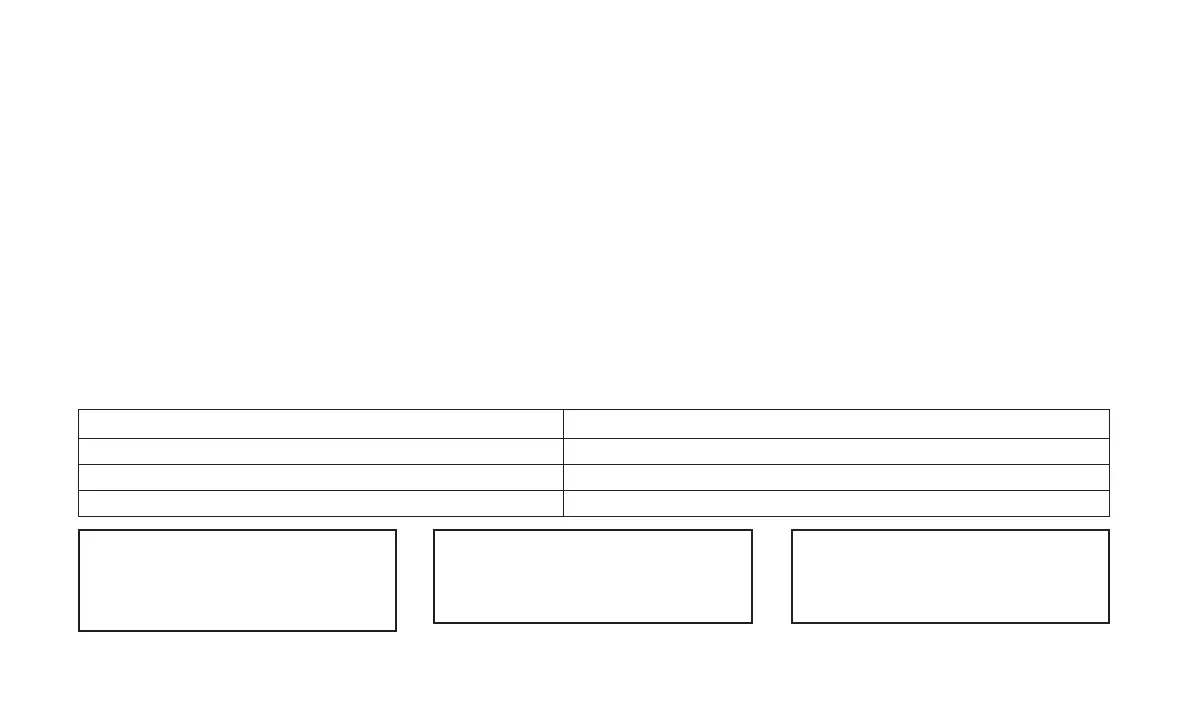
the rear of the vehicle. The following table
shows the approximate distances for each zone:
Zone Distance To The Rear Of The Vehicle
Red 0-1ft(0-30cm)
Yellow 1 ft - 6.5 ft (30 cm-2m)
Green 6.5 ft or greater (2 m or greater)
WARNING!
Drivers must be careful when backing up even
when using the ParkView Rear Back Up Cam-
era. Always check carefully behind your vehicle,
(Continued)
WARNING!
(Continued)
and be sure to check for pedestrians, animals,
other vehicles, obstructions, or blind spots be-
fore backing up. You are responsible for the
(Continued)
WARNING!
(Continued)
safety of your surroundings and must continue
to pay attention while backing up. Failure to do
so can result in serious injury or death.
191















 To Next Page