When selected, this screen displays all four
G-Force values, as well as steering angle.
When G-Force is selected, the following fea-
tures will be available:
• Vehicle Speed:
Measures the current speed of the vehicle in
either mph or km/h, starting at zero with no
maximum value.
• Front G-Force:
Measures the braking force.
• Right G-Force:
Measures the left turn force.
• Left G-Forces:
Measures the right turn force.
• Rear G-Forces:
Measures the acceleration force.
NOTE:
Front, Right, Left, and Rear G-Forces are all
peak values. These readings can be reset by
clearing peak G-Force on the instrument cluster.
• Steering Wheel Angle
Steering Wheel Angle utilizes the steering angle
sensor to measure the degree of the steering
wheel relative to zero. The zero degree mea-
surement indicates a steering wheel straight
ahead position. When the steering angle value
is negative, a turn to the left is indicated, and
when the steering angle value is positive, a turn
to the right is indicated.
The friction circle display shows instantaneous
G-Force as a highlight and previous G-Force as
dots within the circle. The system records pre-
vious G-Force for three minutes. If there are
multiple samples at a given point, the color of
the dot will darken from blue to red. Vectors
more frequent will show in red; infrequent vec-
tors will show in blue.
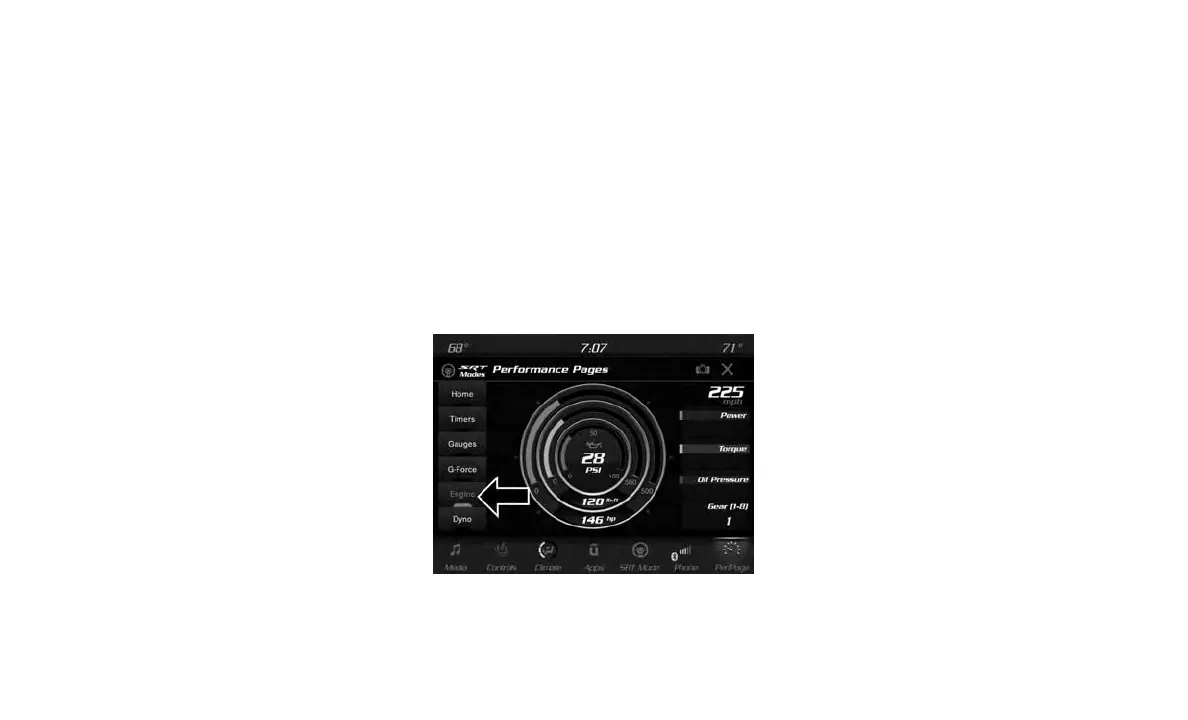
Engine
When selected, this screen displays the follow-
ing values:
• Vehicle Speed
Shows the actual vehicle speed.
• Instantaneous Power
Shows the instantaneous power.
• Instantaneous Torque
Shows the instantaneous torque.
• Oil Pressure (6.4L Only)
Shows the actual engine oil pressure.
• Gear
Shows the current (or pending) operating gear
of the vehicle.
Engine
283















 To Next Page