The following describes the left-hand control
operation in each mode.
Radio Operation
Pushing the top of the switch will “Seek” up for
the next listenable station and pushing the bot-
tom of the switch will “Seek” down for the next
listenable station.
The button located in the center of the left-hand
control will tune to the next preset station that
you have programmed in the radio preset but-
ton.
CD Player
Pushing the top of the switch once will go to the
next track on the CD. Pushing the bottom of the
switch once will go to the beginning of the
current track, or to the beginning of the previous
track if it is within one second after the current
track begins to play.
If you push the switch up or down twice, it plays
the second track; three times, it will play the
third, etc.
IPOD/USB/MP3 CONTROL — IF
EQUIPPED
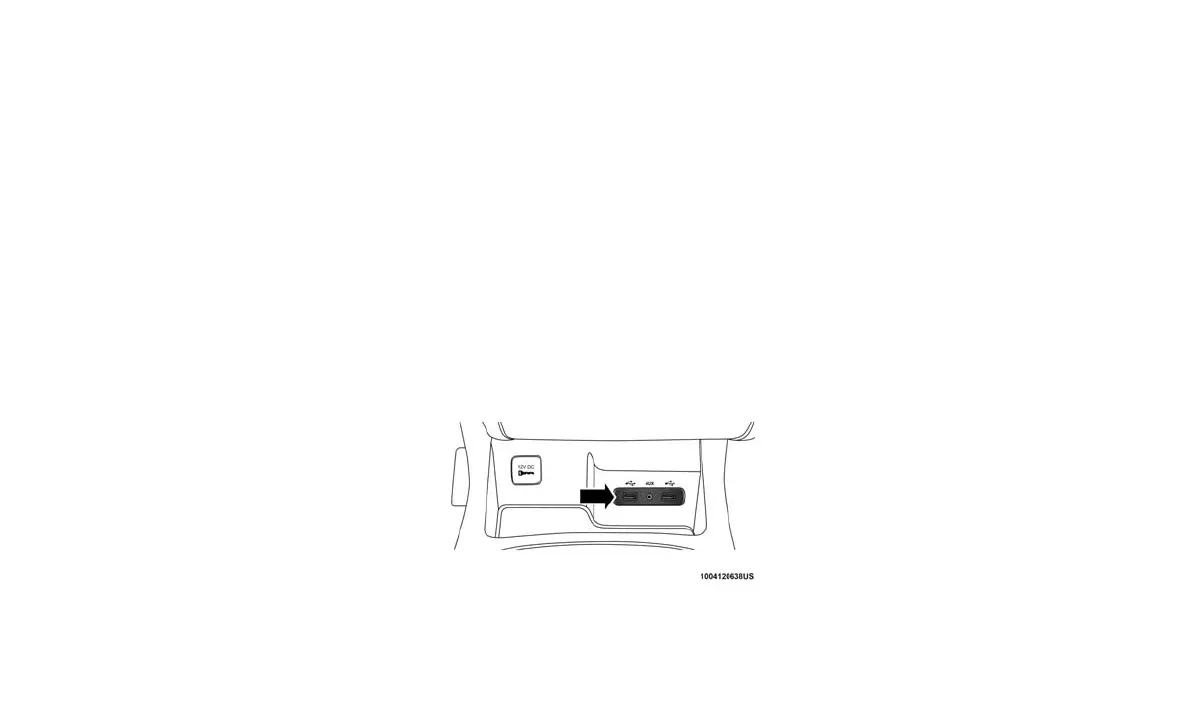
This feature allows an iPod or external USB
device to be plugged into the USB port, located
in the lower section of the front integrated center
stack, in front of the rotary transmission gear
selector.
iPod control supports Mini, 4G, Photo, Nano, 5G
iPod and iPhone devices. Some iPod software
versions may not fully support the iPod control
features. Please visit Apple’s website for soft-
ware updates.
For further information, refer to the Uconnect
Owner’s Manual Supplement.
Connecting The iPod Or External
USB Device
Use the connection cable to connect an iPod or
external USB device to the vehicles USB/AUX
connector port which is located in the center
console.
The USB ports on the Media Hub are equipped
with a Smart Electronic Voltage Regulator
(Smart Charge) feature. This feature allows a
device to charge for up to one hour after the
vehicle is powered off.
Once the audio device is connected and syn-
chronized to the vehicles iPod/USB/MP3 control
system (iPod or external USB device may take a
few minutes to connect), the audio device starts
charging and is ready for use.
NOTE:
If the audio device battery is completely dis-
charged, it may not communicate with the iPod/
USB/MP3 control system until a minimum
charge is attained. Leaving the audio device
connected to the iPod/USB/MP3 control system
may charge it to the required level.
Using This Feature
By using an iPod cable, or an external USB
device to connect to the USB port:
• The audio device can be played on the vehi-
cle’s sound system, providing metadata (art-
ist, track title, album, etc.) information on the
radio display.
• The audio device can be controlled using the
radio buttons to Play, Browse, and List the
iPod contents.
• The audio device battery charges when
plugged into the USB/AUX connector (if sup-
ported by the specific audio device).
NOTE:
For further information, refer to the Uconnect
Owner’s Manual Supplement.
Integrated Center Console USB/AUX Media
HUB
290















 To Next Page