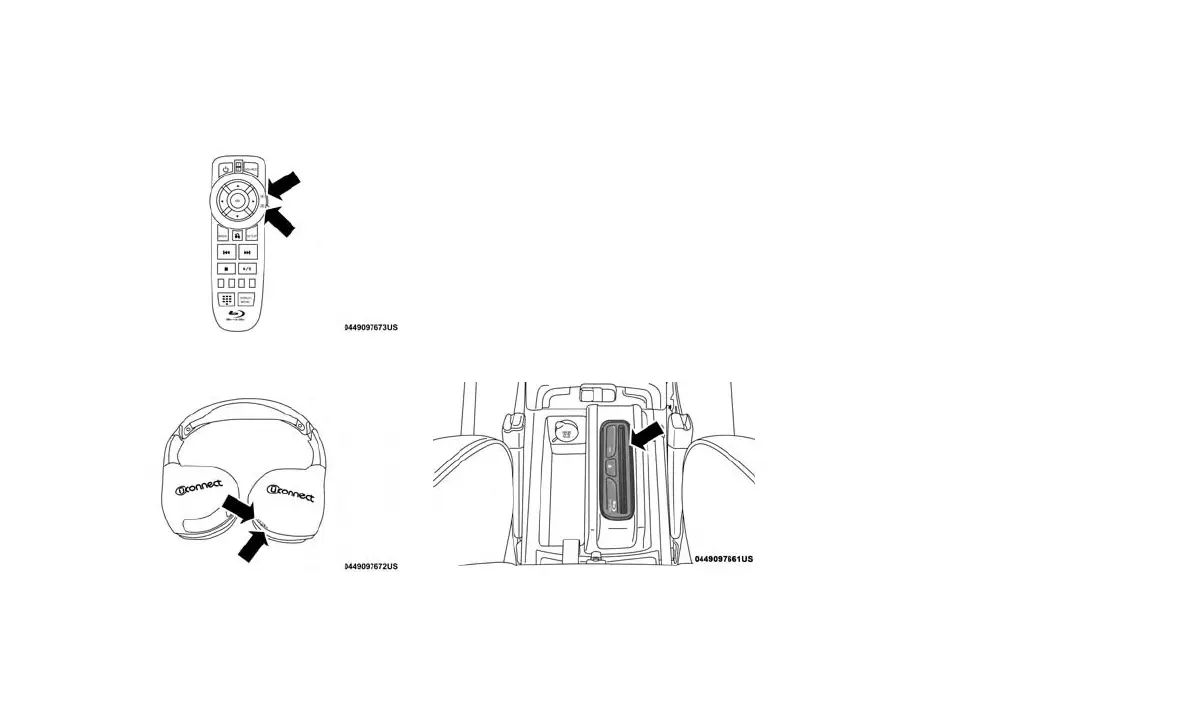
• With the Dual Video Screen System, Channel
1 (Rear 1) on the remote control and head-
phones, refers to Screen 1 (driver’s side) and
Channel 2 (Rear 2) on the Remote Control
and Headphones refers to Screen 2 (passen-
ger side).
• The system can be controlled either by the
front seat occupants utilizing the touchscreen
radio or by the rear seat occupants using the
remote control.
Dual Video Screen
NOTE:
Typically there are two different ways to operate
the features of the Rear Seat Entertainment
System.
• The Remote Control
• The Touchscreen Radio (If Equipped)
Blu-ray Disc Player
Play A Blu-ray Disc
The Blu-ray disc player is located in the center
console.
1. Insert a Blu-ray disc into the VES disc player
with the label facing as indicated on the
Blu-ray player. The radio automatically se-
lects the appropriate mode after the disc is
recognized and displays the menu screen,
the language screen, or starts playing the
first track.
2. To watch a Blu-ray disc on Rear 1 for driver’s
side rear passengers, ensure the Remote
Control and Headphone switch is on Rear 1.
3. To watch a Blu-ray disc on Rear 2 for pas-
senger side rear passengers, ensure the
Remote Control and Headphone switch is on
Rear 2.
NOTE:
• To view a Blu-ray disc on the radio, press the
“Media” button on the touchscreen, and then
press the “Disc” button. Press the “Play”
button, and then the “full screen” button.
• Viewing a Blu-ray disc on the radio screen is
not available in all states/provinces. The ve-
hicle must be stopped, and the gear selector
must be in the PARK position for vehicles with
automatic transmission.
RSE System Remote Control Channel
Selectors
RSE System Headphone Channel Selectors
Blu-ray Disc Player Location
292















 To Next Page