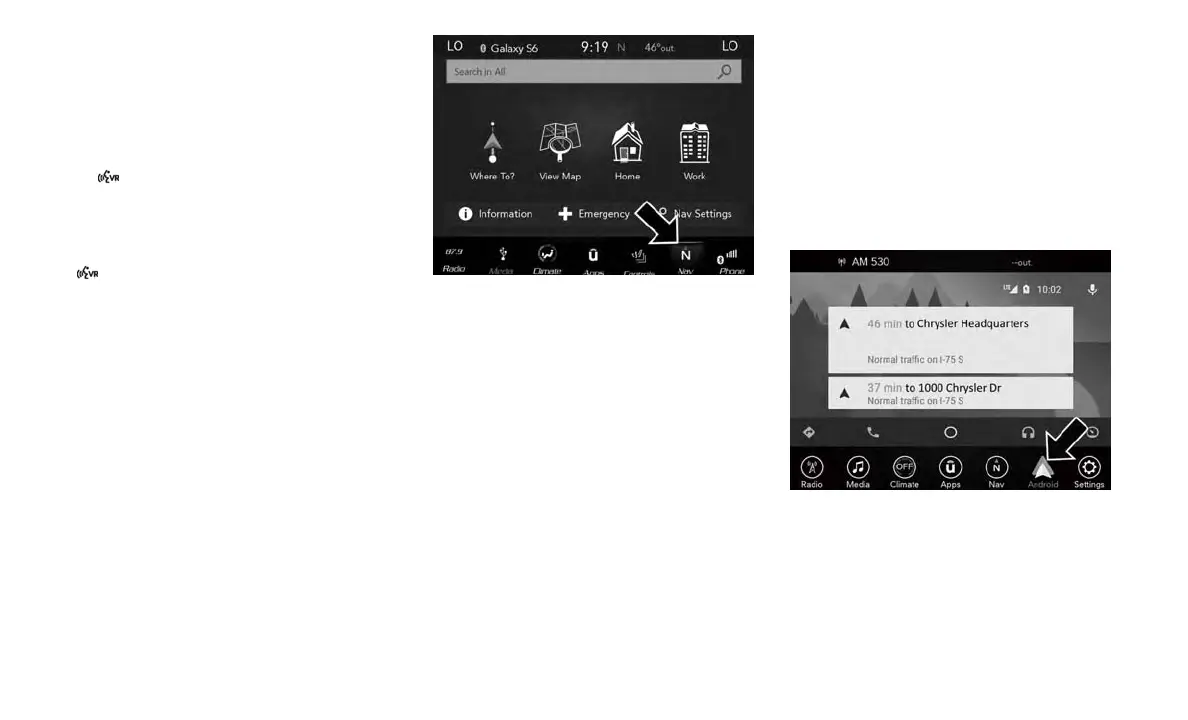
Navigation (4C NAV)
The Uconnect navigation feature helps you save
time and become more productive when you do
not know exactly how to get to where you want
to go. (Navigation is optional on the Uconnect
4C system.)
1. To enter a destination, push the VR button
. After the beep, say: “Find address 800
Chrysler Drive Auburn Hills, Michigan.”
2. Then follow the system prompts.
TIP: To start a POI search, push the VR button
. After the beep, say: “Find nearest coffee
shop.”
Android Auto — If Equipped
Android Auto allows you to use your voice to
interact with Android’s best-in-class speech
technology through your vehicle’s voice recog-
nition system, and use your smartphone’s data
plan to project your Android powered smart-
phone and a number of its apps onto your
Uconnect touchscreen. Connect your Android
5.0 (Lollipop), or higher, to one of the media
USB ports, using the factory-provided USB
cable, and press the new Android Auto icon that
replaces your “Phone” icon on the main menu
bar to beginAndroid Auto. Push and hold the VR
button on the steering wheel, or press and hold
the “Microphone” icon within Android Auto, to
activate Android’s VR, which recognizes natural
voice commands, to use a list of your smart-
phone’s features:
• Maps
• Music
• Phone
• Text Messages
• Additional Apps
Refer to your Uconnect Owner’s Manual
Supplement for further information.
Uconnect 4C/4C NAV Navigation
Uconnect 4C/4C NAV Android Auto
303















 To Next Page