Your SRT vehicle is equipped with a Drive Modes feature which allows for
coordinating the operation of various vehicle systems depending upon the
type of driving behavior desired. The Drive Modes feature is controlled
through the touchscreen and may be accessed by performing any of the
following:
• Selecting “Drive Modes” from the “Apps” menu.
• Selecting “Drive Modes” from within the Performance Pages menu.
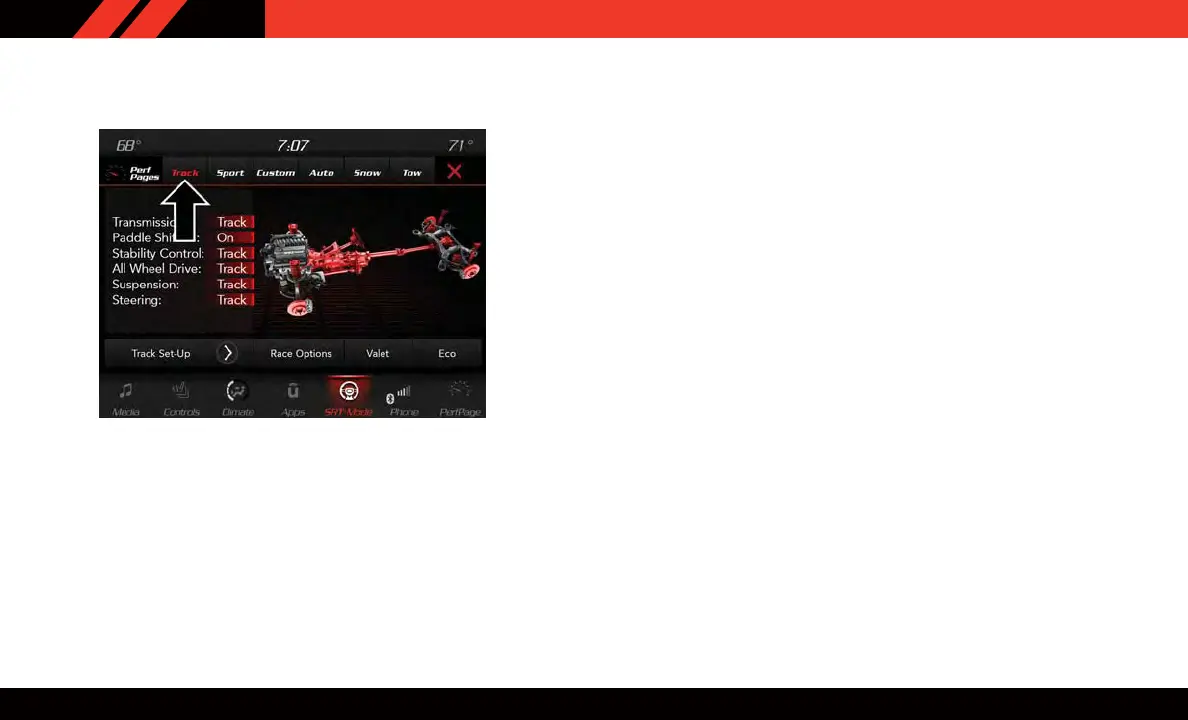
The SR T Drive Modes main screen displays the current drive mode and
real-time status of the vehicle’s performance configuration. The selectable
Drive Modes are Track, Sport, Auto, Snow , Tow or Custom. Information
shown will indicate the actual status of each system, along with a vehicle
graphic that displays the active drive mode status. The color red indicates
“Track,” orange “Sport,” yellow “Street” and blue for “Snow.” These
features will reset to AUTO upon an ignition cycle. If the system status
shown does not match the current drive mode set up, a message will be
displayed indicating which values are not matching the current mode.
Drive Modes — Track
SRT DRIVE MODES
16















 To Next Page