a
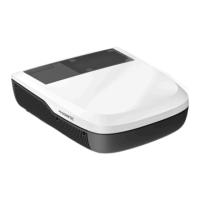
Technical description FreshJet3000
12
The following control and display elements are available on the remote control
(fig. 3, page 3):
No./
Button
Explanation
1 Display
Displays the following:
• Selected room temperature (target value) in °C or °F
• Air conditioning mode
• Fan level
• Symbols for active additional functions
Adjusts the fan speed between Low, Med, High or Auto – showing as 1, 2, 3 or A
on the air outlet unit display for a short time when changed.
Switches ON or OFF the ambient lights in the air outlet unit.
Switches between temperature units Celsius (°C) and Fahrenheit (°F)
Switches the roof air conditioner on or to stand-by mode.
+ button: Increases the currently displayed value.
– button: Reduces the currently displayed value.
Selects the turbo mode.
Sets the fan speed to Turbo speed to rapidly cool or heat the inside of the vehicle.
After it is pressed again the fan will return to the previous setting.
Selects the air conditioning mode (chapter “Air conditioning modes” on page 13).
Activates the sleep function (chapter “Additional functions” on page 13).
Sets the timer.
FreshJet3000-OPM.book Seite 12 Donnerstag, 27. Februar 2020 4:17 16


 To Next Page
 Loading...