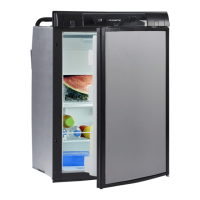
Using the refrigerator RMD10
24
➤ Turn the control knob to select the desired detail menu.
➤ Press the control knob to open the selected detail menu.
➤ Turn the control knob to navigate through the detail menu.
✓ Selected settings are displayed in blue.
✓ Press the control knob to choose the selected setting.
➤ Confirm the selection with .
6.7 Operating the refrigerator (RMD10.5, RMD10.5X,
RMD10.5S, RMD10.5XS)
Control
➤ Repeatedly press
, until the LED indicates the desired operating mode.
➤ Repeatedly press
, until the desired temperature level is set.
6.8 Tank stop mode
!
If the vehicle’s ignition is switched off, the refrigerator will switch to tank stop mode
for safety reasons. This blocks gas operation for 15 minutes. After that, the refrigera-
tor automatically switches back to regular, automatic mode.
In tank stop mode
• RMD10.5T, RMD10.5XT: the symbol is displayed
• RMD10.5, RMD10.5X, RMD10.5S, RMD10.5XS: the LED flashes
Operating mode menu
Settings menu
WARNING!
Turn off the refrigerator or select a different operating mode if refueling
takes longer than 15 minutes.
Main menu Details menu
MODE
RMD10-O-WEST.book Seite 24 Donnerstag, 14. Mai 2020 1:16 13


 To Next Page
 Loading...