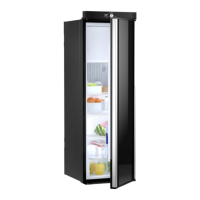
Using the refrigerator RML10.4, RML10.4S, RML10.4T
26
6.5 Operating the refrigerator (RML 10.4T)
Menu navigation: fig. 5, page 7
➤ Press the control knob to activate the TFT display.
The main menu is divided into three lines:
➤ Turn the control knob to select the desired detail menu.
➤ Press the control knob to open the selected detail menu.
➤ Turn the control knob to navigate through the detail menu.
✓ Selected settings are displayed in blue.
➤ Press the control knob to choose the selected setting.
➤ Confirm the selection using .
6.6 Operating the refrigerator (RML 10.4 and RML 10.4S)
Controls
➤ Repeatedly press
, until the LED indicates the desired operating mode.
➤ Repeatedly press
, until the desired temperature level is set.
6.7 Tank stop mode
!
If the vehicle’s ignition is switched off, the refrigerator will switch to tank stop mode
for safety reasons. This blocks gas operation for 15 minutes. The refrigerator then
automatically switches back to the standard automatic mode.
Main menu Detail menu
Cooling capacity menu
Operating mode menu
Settings menu
WARNING!
Turn off the refrigerator or select a different operating mode if refueling
takes longer than 15 minutes.
MODE
RML10_OPM_WEST.book Seite 26 Mittwoch, 8. April 2020 2:18 14



 To Next Page
 Loading...