view.
2) Then the detailed information about the
person will be shown in the opened
Address Edit interface.
3) Click [OK] button to close the Address
Edit interface.
Edit Address
1) In the list box of the Address Book
interface, click the name that you want to
edit.
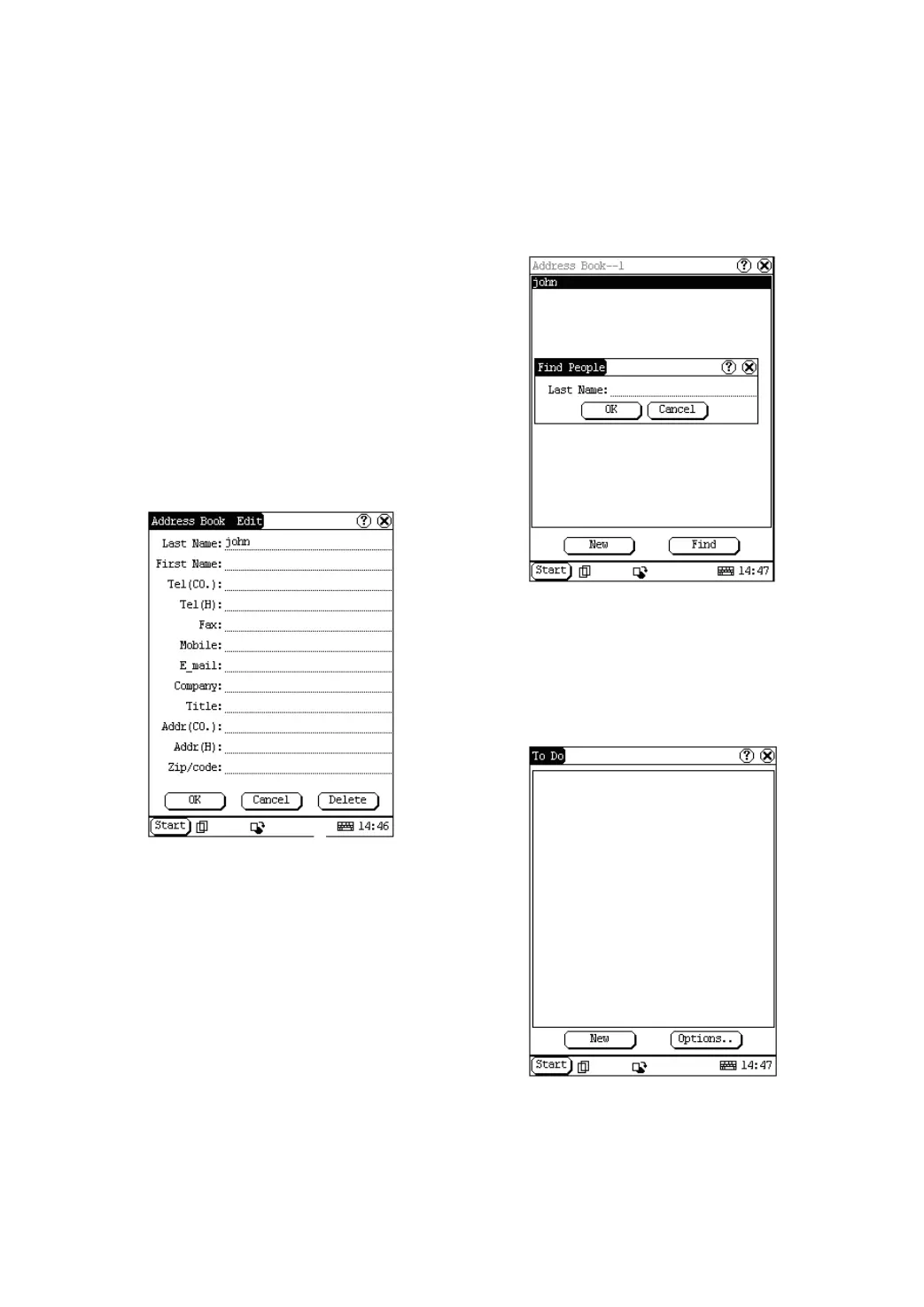
2) Then the information about the person
can be edited in the opened Address Edit
interface. See Figure 4-24.
3) After editing, click [OK] button to save the
edited contents and close the Address
Edit interface.
Figure 4-24
Delete Address
1) In the list box of the Address Book
interface, click the name that you want to
delete.
2) Then the information about the person will
be shown in the opened Address Edit
interface.
3) Click [Delete] button to delete the
person’s information and close the
Address Edit interface.
Search Address
1) In the Address Book interface, click [Find]
button to pop up the Find People interface.
See Figure 4-25.
2) Activate Soft Keyboard, and input the
name you want to search.
3) Click [OK] button, and then you will see
that the name you search is highlighted in
the list box.
Figure 4-25
To Do
The basic functions of To Do include: add new
To Do, view To Do, delete To Do and set To Do,
etc.
Figure 4-26
1) In the pop-up ‘PIM’ list, select ‘To Do’ item
to open the To Do interface.
2) The To Do list of corresponding items will


 To Next Page
 Loading...