8
MEDO supports powerful sampling functions, allowing you to capture the world's beautiful
sounds and integrate them into your music creation. Whether it's street or home noise, they
all can be collected to be your voice materials.
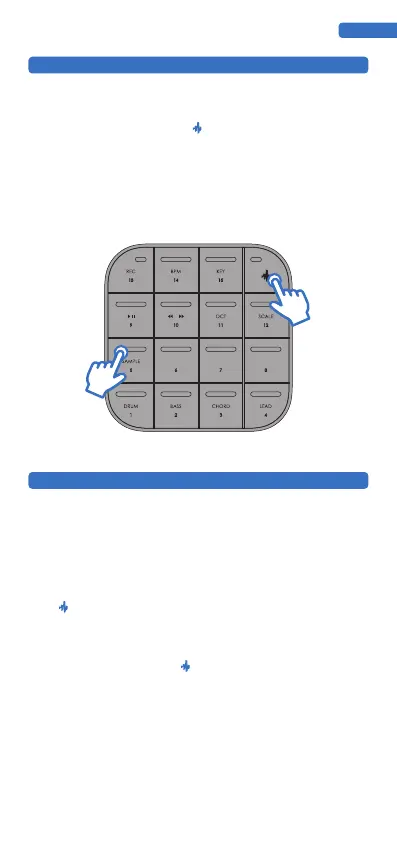
In this mode, press the combination buttons +PAD5 in sequence, and the light flashes
three times before starting to collect sound. Release your finger to complete the sound
sample collection. After the collection is completed, the sound sample will be automatically
assigned to each touch button, and the note arrangement is consistent with the LEAD mode.
Up to 5 seconds of sound samples can be collected.
Note: Each collected sound sample will cover the previous sound sample, which can be saved
in combination with the App or realize more patterns.
SAMPLE MODE
MEDO has the internal loop creation function, which is an interesting and intuitive way for
you to record and edit music loops in five voice modes, quickly creating and recording music
creativity. This allows you to capture the inspiration of improvisation and create it into a loop.
mode)
indicating the tempo of the song and allowing you to start recording your first loop. Although
the metronome has been activated, the loop does not start recording until you play the first
note.
3. Play some notes and then lightly press when the loop is about to end. The note you
just played will enter loop recording and automatically start playback from scratch.
Note: Recording is based on bars as the minimum unit, and the song length will always be the
same as the first loop you recorded. MEDO can record up to 128 bars.
LOOP RECORDING
ENGLISH
Starting a loop:


 To Next Page
 Loading...


