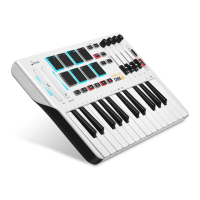
Plug the USB cable provided with your N-32 MIDI keyboard to a USB port on your computer.
Plug the other end of the USB cable into the USB input on the N-32 MIDI keyboard.
1
2
The USB cable not only powers the keyboard but also sends MIDI data to computer system or receives MIDI data from
computer system.
Using a passive USB hub may not provide enough power for instrument.
You can also use N-32 MIDI Keyboard with your iPad to control supported music creation apps. Connecting your N-32 MIDI
Keyboard to an iPad requires the iPad Camera Connection Kit.
- Once you have finished the installation, you will need to configure your music software for use with Donner N-32.
- Connect Donner N-32 to your computer and then open your software.
- In your software’s Preferences, Options, or Device Set-Up menu, select Donner N-32.
(Windows and MacOS will recognize the device as Donner N-32.)
- For further information about configuring your software to receive MIDI data from your Donner N-32, and using
software instruments with the application, refer to the documentation provided with that product.
1
3
2
04



 To Next Page