6500-065-J-7-18
47
AC
POWER
OFF
RESET
www.doorking.com to get a PDF of this manual - Remove this page OR print this page in color, fold and laminate - Place at the gate operator
When alarm is sounding . .
ALWAYS CHECK GATE AREA FOR ANY OBSTRUCTIONS FIRST.
The audio alarm will sound for five minutes, or until the operator’s reset button is pushed. After (5) five minutes the
alarm will “chirp every 5 sec.” and the hard shutdown condition will remain in affect until the reset button is pushed.
UNLOCK the power switch
cover with KEY and press
RESET BUTTON.
This will reset the gate
operator and allow normal
gate operation again.
Gate Operator is in a Hard Shutdown Condition when Alarm is Sounding
This occurs when:
1. The inherent entrapment protection system (Type A) gets activated TWO consecutive times before the gate completes
the open or close cycle.
2. The reversing edge contact sensor (Type B2) gets activated and reverses but before the gate completes the reverse
cycle the inherent entrapment protection system (Type A) gets activated.
If the cause of the alarm cannot be corrected, shut-off power and
DO NOT place this operator back into service until the malfunction
can be identified and CORRECTED.
IMPORTANT: Putting this gate operator back into service without
CORRECTING the cause of the alarm could result in serious injury
or DEATH!
RESET BUTTON
Power
Switch
Cover
Manual Gate Operation
Please read SECTION 5 - OPERATING INSTRUCTIONS for more information about operating this gate operator.
Caution: NEVER attempt to manually operate the gate until you have VERIFIED
that power to the gate operator has been SHUT-OFF!
Please read SECTION 5 - OPERATING INSTRUCTIONS for more information about operating this gate operator.
Alarm Sounding and Gate WILL NOT Operate
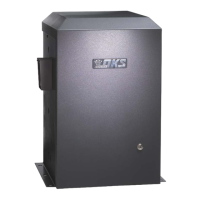
A KEY has been
supplied that will
unlock the power
switch cover on
this gate operator.
Name
Phone #
To obtain key to unlock
gate operator contact:
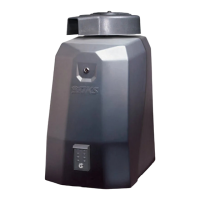
A KEY has been supplied
that will unlock the cover
and power switch cover
on this gate operator.
Name
Phone #
To obtain key to unlock
gate operator contact:
Release hub.
Gate can now be
manually operated.
Remove release tool
and place where shown.
B
C
Unlock the cover and
rotate sliding door.
A
CAUTION
DO NOT REMOVE HUB!
Power
Switch
Cover


 To Next Page
 Loading...