Programming Continued
Relay Strike Time: The amount of time the receiver relay activates.
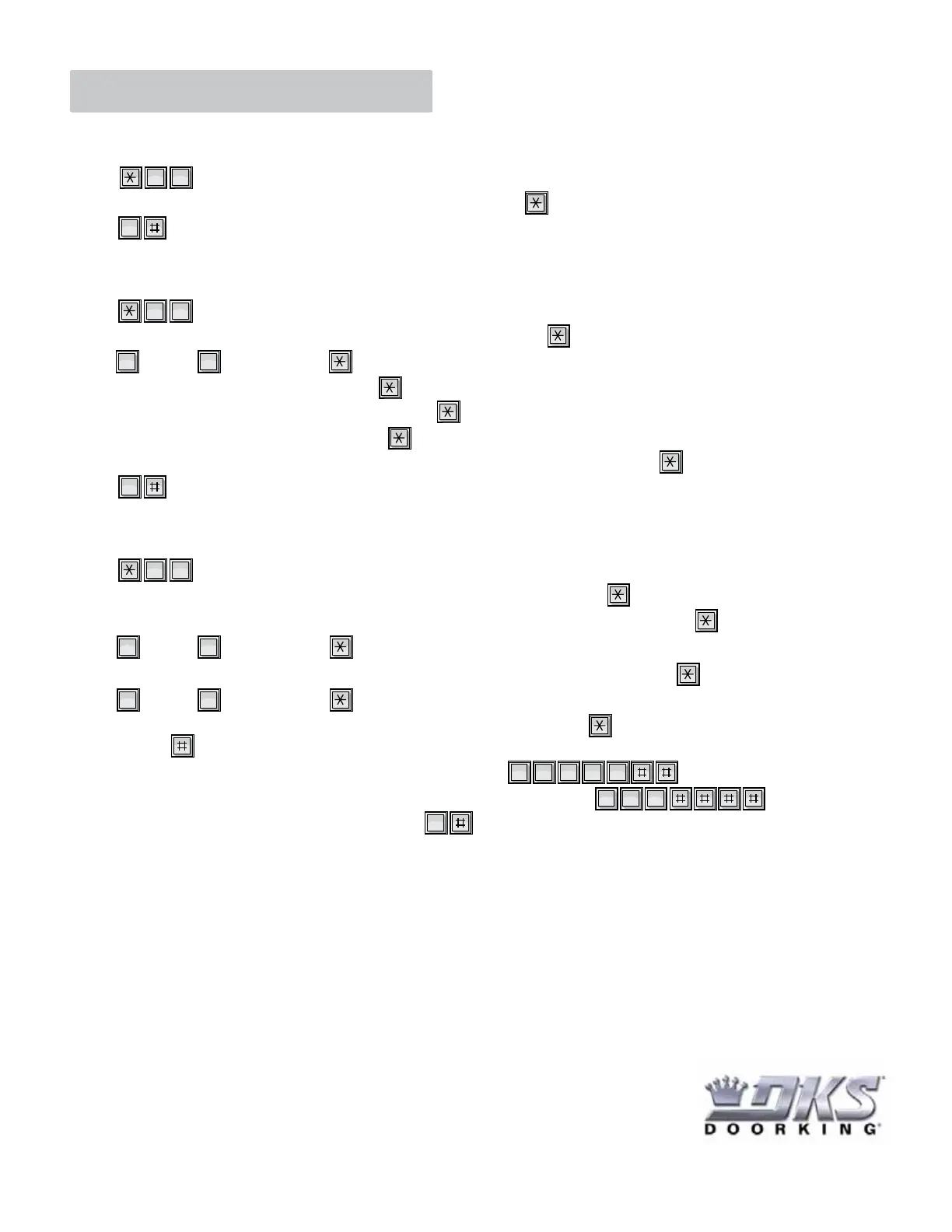
1. Press and the four-digit Master Code.
2. Enter a two-digit number (01-99) for the relay activation in seconds, then press
3. Press TOGETHER to end programming or wait 20 seconds.
0 3
“BEEP”
“BEEP”
“BEEEEEEEEEP”
0
Program Current Time and Day: Current hour and minute, AM or PM, current month, current day and current year.
1. Press and the four-digit Master Code.
2. Enter a four-digit current hour and minute (time example - 7:43 - 0743), then press
3. Enter for AM or for PM, then press
4. Enter a two-digit current month (01 - 12), then press
5. Enter a two-digit current day of the month (01 - 31), then press
6. Enter the last two-digits of the current year, then press
7. Enter a single-digit day of the week (1 = Sunday, 2 = Monday, 3 = Tuesday...... 7 = Saturday), then press
8. Press TOGETHER to end programming or wait 20 seconds.
3 3
0 1
“BEEP”
“BEEP”
“BEEP”
“BEEP”
“BEEP”
“BEEP”
“BEEP”
“BEEEEEEEEEP”
0
Programming Time Zones: Can be used for Step 6 of “Add a Transmitter” on the previous page.
1. Press and the four-digit Master Code.
2. Enter a single-digit time zone to be programmed (ONLY 2 - 9 time zones are valid), then press
3. Enter the Beginning time using four-digits for the hours and minutes (time example - 9:45 - 0945), then press
4. Enter for AM or for PM, then press
5. Enter the Ending time using four-digits for the hours and minutes (time example - 5:00 - 0500), then press
6. Enter for AM or for PM, then press
7. Enter a seven-digit number for the days of the week that the time zone is active, then press
Use the key to skip days that are not active (1 = Sunday, 2 = Monday, 3 = Tuesday...... 7 = Saturday).
Example 1: If the time zone is active Monday - Friday only, then enter
Example 2: If the time zone is active Monday, Wednesday and Friday only, then enter
8. Repeat steps 2 - 7 to program additional time zones or press at the same time or simply wait 20 seconds
to end the programming. A
“BEEEEEEEEEP” will be heard when finished.
3 8
0
2 3 4 5 6
2 4 6
1
“BEEP”
“BEEP”
“BEEP”
“BEEP”
“BEEP”
“BEEP”
0 1
“BEEP”
0
120 S. Glasgow Avenue
In
lewood
California 90301 U.S.A.


 To Next Page
 Loading...