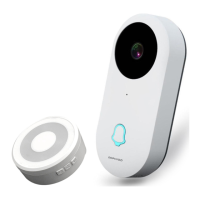
When using the smart doorbell indoor chime to pair with
DophiGo DPH-DV-200 outdoor unit, you can refer to the
following steps to pair the device:
Quick Matching Guide
Turn on the chime and you can hear "Ding Dong" after
the red light flashing.
1
Shortly press the pairing button on the chime, then the
blue light flashing. And then push the call button of
outdoor unit. The blue light will stay solid for 2 seconds
after"Ding Dong" sound which means devices are
paired succeed.
2
Pushing the call button of the outdoor unit after paired
succeed, the chime will ring the "Ding Dong" sound
with blue light flashing.
3


 To Next Page