Declaration of conformity
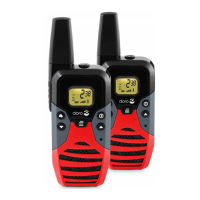
Doro declares that the apparatus Doro wt91x pro
complies with the essential requirements and other
relevant positions of Directive 1999/5/EC. A copy
of the Declaration of Conformity can be found at
www.doro.com/dofc
Guarantee
This product is guaranteed for a period of
24 months from the date of purchase. Proof
of purchase is required for any service or
support required during the guarantee period.
This guarantee shall not apply to a fault
caused by an accident or a similar incident or
damage, liquid ingress, negligence, abnormal
usage, not reasonably maintained or any
other circumstances on the purchaser’s part.
Furthermore, this guarantee shall not apply to a
faults caused by the use of poor quality batteries,
battery leakage, corrosion or similar events
related to non DORO batteries. This guarantee
does not in any way affect your statutory rights.
UK
If you cannot resolve the fault using the
faultndersection,technicalsupportisavailable
by email: tech@doro-uk.com -premium rate
telephone number: 0905 895 0854
, calls cost 50
pence per minute
(prices correct at the time of
publication). You can also contact us in writing
(regarding any Spares or Technical query):
Customer Services
DoroUKLtd,1HighStreet
Chalfont St Peter, Buckinghamshire, SL9 9QE.
Further contact details are available on our
website:
www.doro-uk.com.
Call melody
The transmitted call melody can be set to
different variants.
1. Press
w
four times,
CA
will then be displayed.
2. Scroll to the desired melody (1 -5) using
v
/
V
(
OF
=off).
3. Press PTT.
Monitor function
The monitor function can be used in weak
signal areas to locate any other signal being
transmitted.
1. Press
w
and
V
at the same time.
2. To stop monitoring press
w
.
Termination (Roger) tone
If activated, a beep tone will be heard when
you release the
PTT button. This can be used
as a reminder to the other person that you have
nishedtalkingandarewaitingforaresponse.
1. Press
w
vetimes,
RO
will then be displayed.
2. Scroll to the desired setting using
v
/
V
(
OF
=off,
On
=on).
3. Press PTT.
Key tone
1. Press
w
six times,
to
will then be displayed.
2. Scroll to the desired setting using
v
/
V
(
OF
=off,
On
=on).
3. Press PTT.
Searching two channels (Dual Watch)
You can enter a second channel for simultaneous
listening while using the selected operating
channel.
1. Press
w
seven times, DCM will then be
displayed.
2. Scroll to the desired setting using
v
/
V
(
OF
=off). Press
w
.
3. Scroll to the desired transfer code using
v
/
V
. Press PTT.
Scanning
You can scan all available channels to locate any
signals being transmitted. Press
PTT to stop at
the located channel.
1. Press
w
and
v
at the same time. The handset
will start searching.
2. To stop scanning press
w
.
Channel lock
The channel lock function serves to protect
the selected channel and sound volume of the
handset through preventing unintentional usage
of these buttons (
w
and
v
/
V
).
1. Press and hold
w
until the key symbol is
displayed.
2. To deactivate the channel lock press and
hold
w
until the key disappears.



 To Previous Page
 Loading...