EasyManua.ls Logo

Doss Candy - User Manual

Doss Candy
6 pages
Print Icon
To Next Page IconTo Next Page
Loading...
Wireless Mini Speaker
Question and Answer IconNeed help?

Do you have a question about the Doss Candy and is the answer not in the manual?

Overview

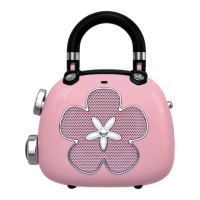
The DOSS Candy is a wireless mini speaker designed for portable audio playback. Its unique design, resembling a small handbag with a decorative flower on the front, suggests a focus on aesthetics and ease of carrying.

Function Description:

The DOSS Candy functions primarily as a wireless mini speaker, capable of playing audio via Bluetooth or a 3.5mm line-in connection. It allows users to control music playback (skip tracks, play/pause), adjust volume, and manage device connections. The speaker also includes features for charging and indicating its operational status.

Important Technical Specifications:

  • Model No: DOSS Candy
  • Output: 5W
  • Input: 5V 1A
  • Battery: 400mAh
  • Unit Dimension: 2.5 x 1.2 x 2.1 inches
  • Play Time: Up to 8 hours (varies by volume level and content)
  • Warranty: One-year limited
  • Bluetooth Distance: 33 Feet

Usage Features:

The DOSS Candy offers a straightforward interface with clearly defined buttons and indicators for ease of use.

Buttons and Operation:

The device features two main control elements on its left side, labeled as (1) and (2) in the illustration, and three ports/buttons on its right side, labeled (3), (4), and (5).

  • Button (1) (Heart-shaped):
    • Skip to next track: Press and hold.
    • Increase volume: Press.
  • Button (2) (Gem-shaped):
    • Go to previous track: Press and hold.
    • Decrease volume: Press.
  • Combined Action (1) + (2):
    • Disconnect the device: Press and hold for 3 seconds.
  • Button (3) (Top button on the right side):
    • Turn on/off: Press and hold.
    • Play/pause: Press.
    • Reconnect with the last device: Press.
    • Factory reset: Press and hold for 15 seconds.
  • Port (4) (Middle port on the right side):
    • This is the charging port.
    • Charge the speaker: Insert the charging cable.
  • Port (5) (Bottom port on the right side):
    • This is the 3.5mm line-in port.
    • Play via line in: Insert the 3.5mm line-in cable.

Indicator Lights:

The device provides visual feedback on its status through indicator lights. The main indicator is a gem-shaped light, and there's also a charging indicator (represented as a vertical bar in the manual).

  • Gem-shaped Indicator:
    • Rapidly flashing blue: Bluetooth pairing mode.
    • Solid blue: Paired/paused.
    • Slowly flashing blue: Playing audio.
    • Solid red: Line-in mode.
    • Flashing red: Low battery.
  • Charging Indicator (vertical bar):
    • Solid red: Charging in progress.
    • Light off: Fully charged.

Maintenance Features:

The manual provides standard FCC compliance information, which indirectly relates to maintaining optimal performance and avoiding interference. While not direct "maintenance" steps for the device itself, these guidelines are crucial for its proper operation within regulatory limits.

FCC Statement Highlights:

The device complies with Part 15 of the FCC Rules for Class B digital devices, meaning it's designed to provide reasonable protection against harmful interference in residential installations. Users are advised on how to address potential interference issues:

  • Reorient or relocate the receiving antenna: This suggests repositioning the device or the receiving equipment to improve signal reception and reduce interference.
  • Increase the separation between the equipment and receiver: Moving the speaker further away from other electronic devices can help mitigate interference.
  • Connect the equipment into an outlet on a circuit different from that to which the receiver is connected: This helps prevent electrical interference by separating the power sources of the speaker and other sensitive equipment.

These guidelines emphasize proper setup and environment management to ensure the speaker operates without causing or experiencing undue interference, thereby contributing to its reliable performance and longevity. The one-year limited warranty also provides a maintenance-related assurance for potential defects within the specified period.
Doss Candy Specifications

General IconGeneral
BrandDoss
ModelCandy
CategorySpeakers
LanguageEnglish

Related product manuals