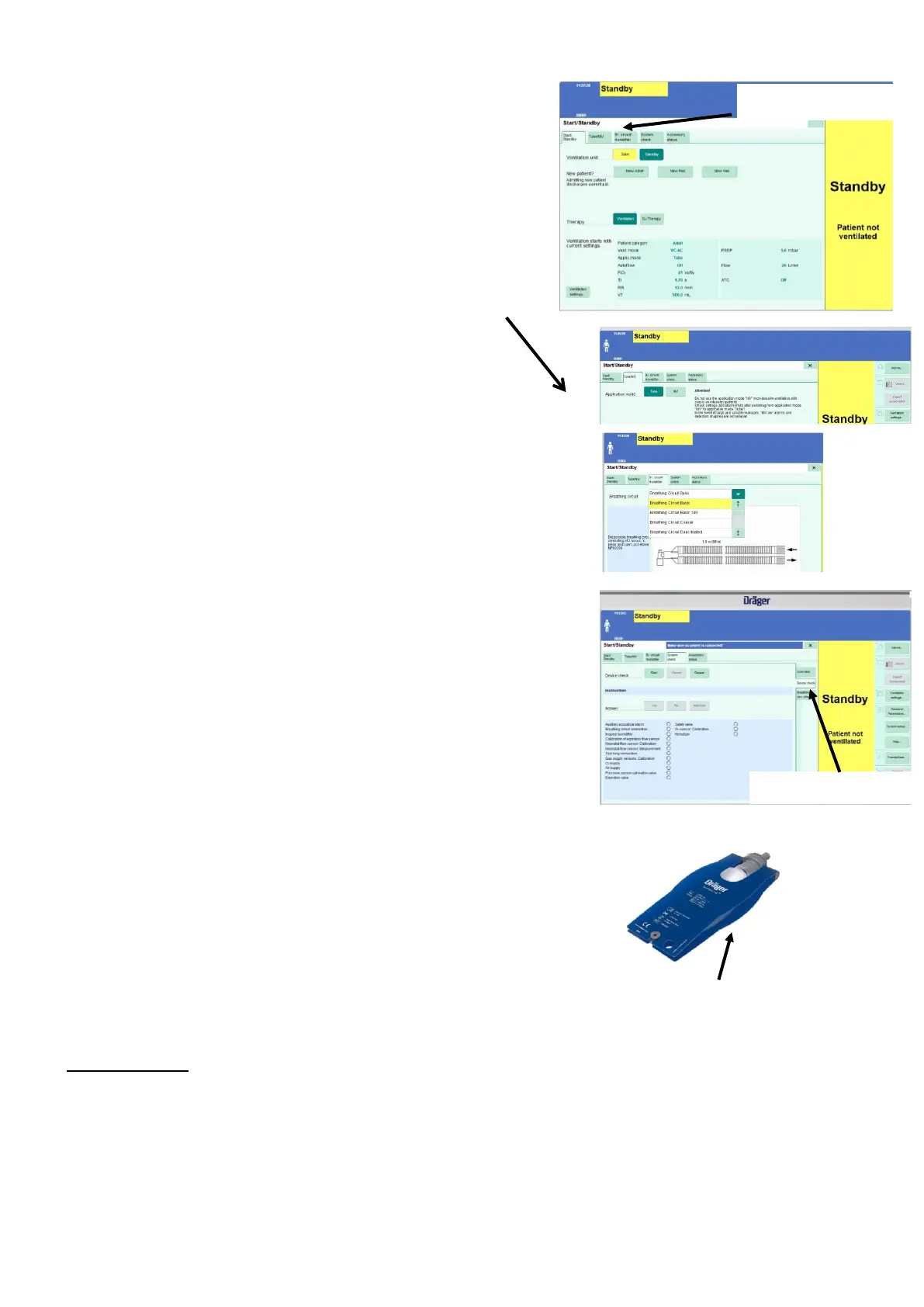
9. From standby screen select New Adult - tab 1 Start/ Standby.
NOTE – if device turned on using hard power switch need to
select New Adult before device moves into standby screen.
10. From tab 2 ensure Tube selected.
11. From tab 3 ensure breathing circuit basic selected. If not use
arrow to highlight choices and trim knob to scroll through
options until breathing circuit basic highlighted and then
confirm.
12. From tab 4 perform System check – when selected tabs
appear on right of screen
13. Select Device check tab and then select Start on the screen.
Follow prompts on screen confirming as and when necessary. As
part of the device check the user will require a test lung.
Successful completion of each individual test will be marked with
a green circle.
14. Once device check complete device will state on screen
Device check is finished. To proceed to breathing circuit check
touch yes. Select Yes and follow prompts. Once breathing circuit
complete marked with green circle.
15. Select Ventilation settings.
16. Select desired mode (PC-SIMV, SPN-CPAP/PS, APRV, NIV PS)
and appropriate settings.
17. Set appropriate alarms via Alarms on screen.
18. Press the Start/Standby. Select Start ventilation on screen
and confirm with trim knob. To stop ventilation – press Standby
on screen and confirm with trim knob. To turn off press and hold
Power/standby button for 3 seconds.
Nebulisation, oxygen enrichment, day/night mode available



 To Previous Page