26 Technical manual | X-am
®
2800 / X-am
®
5800
Maintenance
1. Prepare the Bump Test Station in accordance with the instructions provided in
the quick reference guide on the Bump Test Station.
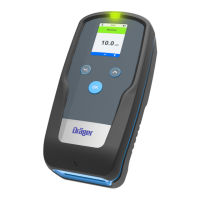
2. Insert the switched-on gas detector into the Bump Test Station and press it down
until it locks into place.
3. The bump test starts automatically. is shown.
4. If a gas alarm (quick bump test) is triggered or the bump test concentration
entered (advanced bump test) is reached within the given time, OK is shown for
the corresponding gas channel.
5. Remove the gas detector from the Bump Test Station.
6. If the concentrations have fallen below the A1 alarm thresholds, the gas detector
automatically switches back to measuring mode after 30 s.
Further steps
If the current measured values do not reach the target concentration (“Advanced
bump test” only) set during the bump test, an error is triggered.
In this case, repeat the bump test or calibrate the gas detector.
6.6 Check response time (t90)
The test can also take place in calibration mode in which case the values are not
displaced by alarms. If necessary, the values can subsequently be discarded, if the
gas detector already has a valid calibration.
1. Carry out a bump test and conduct a simplified check of the response time.
a. Connect the test gas cylinder to the calibration adapter and open the valve
on the test gas cylinder so that the calibration adapter is purged with test gas.
b. Insert the switched-on gas detector into the calibration adapter and press it
down until it locks into place. Record the starting time.
c. Determine the time until 90 % of the test gas concentration is reached.
2. Compare the measured response time with the previous bump tests and with
the t90 values indicated in the supplementary documentation (part number
9033890) provided.
The determined t90 setting time may differ from the certified setting time, as
this simplified procedure does not conform to the standard.
The X-dock maintenance station provides the option of automatically checking
the response time.
6.7 Calibrating the gas detector
6.7.1 Notes on calibration
WARNING
Incorrect measured values
Incorrect calibration means that alarms may not be triggered or only with a delay.
► Always carry out the clean air/zero calibration prior to the span calibration.
If the calibration gas is changed, the affected channel must be calibrated.



 To Next Page
 Loading...