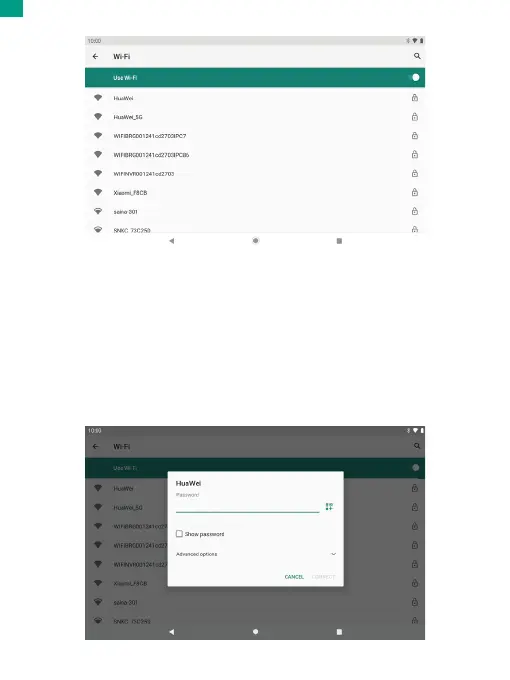
Your device will automatically search for available Wifi networks.
Note: If a network that you've connected to before is available, the tablet will
connect to it. If the network you want isn't listed, but is nearby, wait for the list to
refresh. Or, tap Add network, enter the network name (SSID) and security details,
and tap Save.
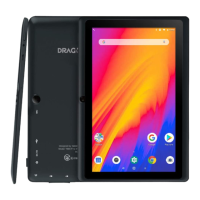
2. Connecting to Wifi
Tap the Wifi network you would like to connect to.
01 02 03 04 05 06 07 08 09 10 11 12 13 14 15
16 17 18 19 20 21 22 23 24 25 26 27 28 29 30
31 32 33 34 35 36 37 38 39 40 41 42 43 44 45
46 47 48 49 50 51 52 53 54 55 56 57 58 59 60
61 62 63 64 65 66 67 68 69 70 71 72 73 74 75
76 77 78 79 80 81 82 83 84 85 86 87 88 89 90
EN


 To Next Page